Portable Battery Charger for iPhone: USB-C PD vs MagSafe
A pack must meet Apple's floors: 18W USB-C PD for iPhone 15 or later, or 30W at 15V/2A for the 25W MagSafe class.
A power bank that only offers a USB-A port fails the fast-charge path on iPhone 15 and later, because Apple’s charge-speed page caps that connection at 7.5W. A MagSafe puck fed by a bank below 30W wastes the 25W peak class, which the MagSafe Charger page ties to a 30W or greater adapter at 15V/2.0A or higher.
Treat the power bank as the adapter in Apple’s sentences, then pick the cable or the puck. The fast-charge page, published 18 September 2026 and read 20 October 2026, says an iPhone 15 or later fast-charges from a USB-C cable and an Apple 18W or greater USB-C adapter, or a comparable third-party USB-C adapter that supports USB Power Delivery. The same page sets MagSafe for iPhone 15 and earlier at up to 15W with a 20W or greater USB-C Power Delivery adapter, and it sets iPhone 16, iPhone 17, and iPhone Air on a MagSafe Charger with a 30W or greater USB-C Power Delivery adapter. The MagSafe Charger page, also 18 September 2026, splits the peaks inside that 30W group: up to 25W for a named list, 22.5W for iPhone 16 and iPhone 16 Pro, and 20W for iPhone Air. If the cable and the puck are both connected, the phone charges through the connector. The wired charger choice for a wall adapter is in which USB-C charger an iPhone needs. Qi2 and MagSafe as product families are in Qi2 vs MagSafe.
Scroll horizontally to see all columns.
| Path from the pack | Apple’s printed floor | Models that sentence names | What a lower pack does |
|---|---|---|---|
| USB-C cable, fast-charge page | 18W or greater USB-C, USB Power Delivery | iPhone 15 or later, in the earlier-models paragraph | Below 18W, that fast-charge sentence no longer describes the pack |
| USB-C cable, USB-C page | 20W or higher for faster charging | iPhone 15 and later, which have the USB-C connector | A second floor, two watts above the fast-charge line |
| USB-A into iPhone 15 or later | Maximum 7.5W | Charge-speed page, 16 March 2026 | The page also says a MagSafe Battery Pack shows Slow Charger on that kind of source |
| MagSafe, 15W class | 20W or greater, 9V/2.22A or 9V/2.56A or higher, charger part A2140 | iPhone 17e, iPhone 15 and earlier | A 12W (5V/2.4A) source still runs the puck, and the page calls that slower |
| MagSafe, higher class | 30W or greater, 15V/2.0A or higher, parts A3502, A3503, A2580, or A3250 | Up to 25W: 18 Pro, 18 Pro Max, 17 Pro, 17 Pro Max, 17, 16 Plus, 16 Pro Max. 22.5W: 16 and 16 Pro. 20W: Air | Higher adapters at or above 15V/2.0A still peak at 25W |
Which watt line belongs to the cable?
The USB-C page, published 17 September 2026, says iPhone 15 and later have a USB-C connector and charge from a USB-C cable and a power adapter that complies with the USB-C standard, including USB Power Delivery. It then says a 20W USB-C adapter, or a higher-wattage USB-C adapter, can be used for faster charging. The fast-charge page’s earlier-models paragraph starts the same phones at 18W or greater.
floor_gap = 20 - 18
The result is 2. That 2 is the gap between the two Apple pages. It is not a measured extra watt at the phone. Write down which page you are matching before you reject an 18W pack or accept a 19W pack.
Newer wired rows sit above both of those lines, and they name a time. iPhone 18 Pro and iPhone 18 Pro Max: the USB-C cable from the box, plus the Apple 40W Dynamic Power Adapter with 60W Max, or a comparable third-party adapter of 60W or greater that uses Adjustable Voltage Supply and USB Power Delivery 3.2. Apple states up to 50 percent in around 15 minutes. iPhone 17, iPhone 17 Pro, and iPhone 17 Pro Max: a 40W adapter or higher, up to 50 percent in around 20 minutes. iPhone 17e and iPhone Air: a 20W adapter or higher, up to 50 percent in around 30 minutes. The fast-charge footnotes say those times were measured on drained preproduction units, from the appearance of the Apple logo, with the named cable and adapter. A portable battery is not in those footnotes.
iPhone 15 and later can also send power the other way, up to 4.5W, to AirPods, Apple Watch, or another small USB Power Delivery device. That 4.5W is the phone charging something else. It is not the pack charging the phone.
The charge-speed page, published 16 March 2026, says a wired charger at 7.5W or less makes charging take longer, and that a USB-A charger limits iPhone 15 and later to a maximum of 7.5W. With iOS 18 or later, a higher-wattage charger can produce a Slow Charger message on the Lock Screen and in Settings, Battery. With iOS 26, Settings, Battery also estimates time to 80 percent, or to 100 percent or the charge limit once the level is over 80 percent, and it can show Incompatible Charger when a charger is connected and not charging.
usb_a_cap = 7.5
That 7.5 is the maximum the charge-speed page prints for a USB-A charger on iPhone 15 and later. A pack whose only high-power port is USB-A is on this line even when the case says a larger number.
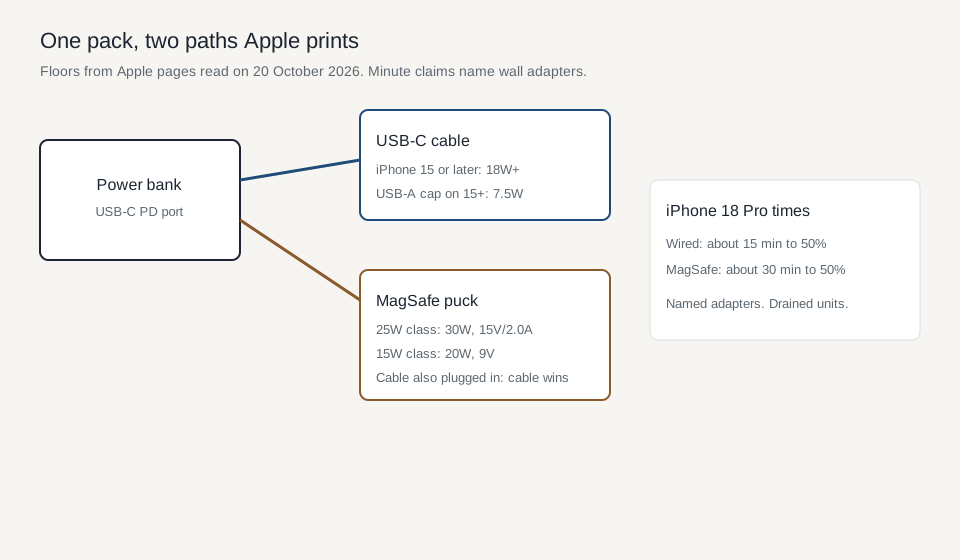
Diagram of the published floors. The minute claims are the iPhone 18 Pro rows, not a pack test.
Takeaway: Copy the watt, the voltage, and the model from one Apple sentence. An 18W USB-C pack and a 30W USB-C pack answer different sentences.
What does the puck require from the same pack?
The MagSafe Charger page says to connect the puck’s USB-C plug to a recommended 30W or greater Apple USB-C adapter, or a compatible third-party USB-C adapter, before you set the phone down. Plugging in first lets MagSafe verify that maximum power is safe. If the phone goes on the puck first, remove it, wait three seconds, and put it back.
On a power bank, that sequence is the same: the bank has to be supplying the puck before the phone lands. A bank that sleeps until it sees a load can miss that order.
The page’s up-to-25W list is iPhone 18 Pro, iPhone 18 Pro Max, iPhone 17 Pro, iPhone 17 Pro Max, iPhone 17, iPhone 16 Plus, and iPhone 16 Pro Max, with a 30W or greater adapter at 15V/2.0A or higher, and a charger marked A3502, A3503, A2580, or A3250. Adapters above that 15V/2.0A rating still deliver a maximum of up to 25W peak. iPhone Air peaks at 20W. iPhone 16 and iPhone 16 Pro peak at 22.5W. Actual power varies with the model, the adapter wattage, and system conditions.
The up-to-15W list is iPhone 17e and iPhone 15 and earlier, with a 20W or greater USB-C adapter at 9V/2.22A or 9V/2.56A or higher, and charger part A2140. iPhone 13 mini and iPhone 12 mini can reach up to 12W with at least 9V/2.03A. A source of 12W at 5V/2.4A still runs the charger, and the page says that result is slower.
peak_gap = 25 - 15
The result is 10. That 10W is the gap between the two peak classes on the MagSafe page. It is not the difference you will read on an iPhone 16, whose printed peak is 22.5W, or on an iPhone 15, whose class is the 15W list.
model_gap = 22.5 - 15
The result is 7.5. That 7.5 is iPhone 16 and iPhone 16 Pro’s printed peak minus the 15W class used for iPhone 15 and earlier. iPhone 16 Plus and iPhone 16 Pro Max are in the 25W list, so this 7.5 does not describe them.
Wireless fast charge on the fast-charge page adds one timed MagSafe row: iPhone 18 Pro and iPhone 18 Pro Max, up to 50 percent in around 30 minutes, with a MagSafe Charger and a 35W or higher adapter. The wired row for those phones is around 15 minutes to 50 percent.
time_ratio = 30 / 15
The result is 2. That 2 compares Apple’s two “around” times for iPhone 18 Pro on the named wall adapters, measured on drained preproduction units from the Apple logo. It does not transfer to an iPhone 15, an iPhone 16, or a power bank. The fast-charge page does not print a minute claim for those older phones.
If the iPhone is on the puck and also plugged into power through Lightning or USB-C, it charges through the connector. A pack that offers both a cable and a puck at once is on the cable path while the cable is attached.
In the European Union, or in a country in the European Free Trade Association, iPhone 15 and later show a notification the first time a wireless charger is used. Apple says the notice is mandated by the EU and says wireless charging might use more power than wired charging. The page does not print a percentage for that difference.
Headphones or another USB-C or Lightning accessory, while the phone is on the puck, cut the charge. The MagSafe page limits that case to 16W on iPhone 18 Pro and iPhone 18 Pro Max, 10W on iPhone 17 Pro and iPhone 17 Pro Max, 7.5W on iPhone 16, iPhone 16 Plus, iPhone 16 Pro, and iPhone 16 Pro Max, and 16W on iPhone 17 and iPhone Air. For iPhone 15 and earlier the same situation is 7.5W. The charge-speed page states a broader 7.5W limit for accessories during wireless charging. Use the MagSafe page when the model is in its list.
headphone_gap = 22.5 - 7.5
The result is 15. That 15W is the drop from the 22.5W peak of iPhone 16 and iPhone 16 Pro to the 7.5W accessory limit on those models. It is arithmetic on those two printed numbers.
Illustrative photograph. The watt floors are on Apple’s pages.
Takeaway: Power the puck first, match the part number, and unplug the cable if you meant to use the puck.
Which failure mode shows up on a pack?
Scroll horizontally to see all columns.
| Failure mode | What Apple states | What to write on the pack |
|---|---|---|
| USB-A only, iPhone 15 or later | Maximum 7.5W. A MagSafe Battery Pack shows Slow Charger. | The port in use, and the 7.5W cap |
| USB-C pack under 18W for an iPhone 15 or later fast-charge setup | The fast-charge page asks for 18W or greater USB Power Delivery | The port’s watt rating while one phone is the only load |
| 25W-class puck on a pack under 30W or under 15V/2.0A | That rating is required for the up-to-25W list | Volts and amps, not only watts |
| Phone placed before the bank is supplying the puck | Remove the phone, wait three seconds, replace it | Whether the bank was already on |
| Cable and puck together | The phone charges through the connector | Which plug is attached |
| Headphones on the phone during MagSafe | Model limits from 16W down to 7.5W | Accessory unplugged, or the limited watt |
| Shared pack ports | The charge-speed page says a multi-port adapter can reduce the maximum | One device only, then the rated port |
| Heat or cold | Fast charging can fail when conditions are too hot or too cold | Where the pack and the phone are sitting |
If the USB-C output is below 18, the fast-charge sentence for iPhone 15 or later no longer describes that pack. If the same port is below 30, the 25W MagSafe class no longer describes it. If a second device is on the pack, the charge-speed page says the maximum can fall.
The watt-hour label, the airline limit, and the shared-port budget are the subject of how to choose a power bank. The other charging notes are on Charging and Power.
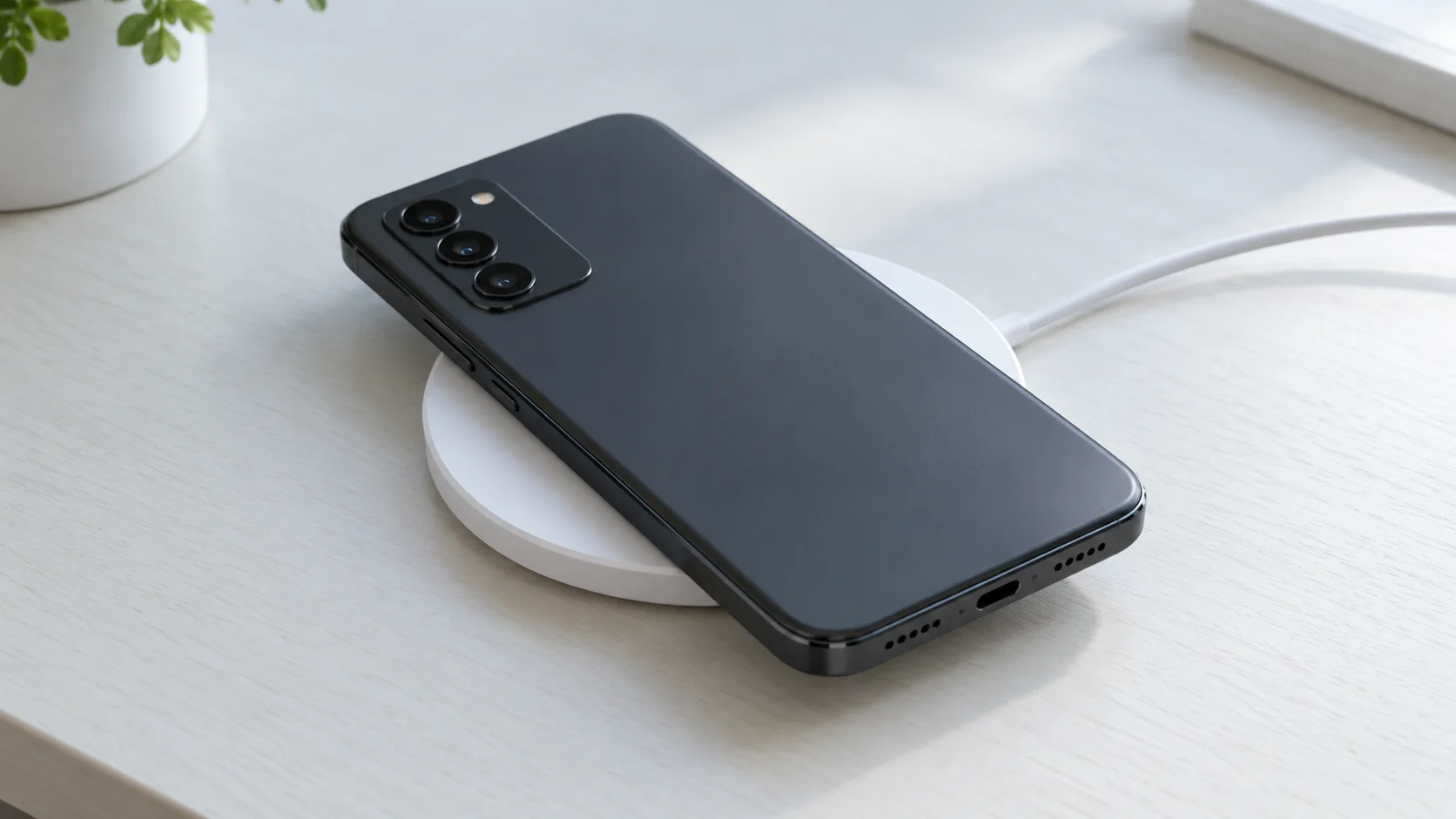
Illustrative photograph. Part numbers and watt peaks stay on Apple’s MagSafe page.
Takeaway: The row that fails is the port that is below the floor for the path you meant to use.
What do you copy off the pack and the phone?
Copy the iPhone model, the path (USB-C cable or MagSafe part number), the pack port’s volts and amps with one phone attached, and whether a headphone or a second device is also attached. Then read Settings, Battery on iOS 26 for the estimate to 80 percent. Apple’s minute claims stay with the adapters and the preproduction units named in the footnotes.
Takeaway: The pack is accepted when its live port meets the Apple sentence for that model and that path.
Method and sources
Compiled from four Apple Support pages read on 20 October 2026. Fast charge your iPhone and How to use your MagSafe Charger are both published 18 September 2026. Charge and connect with the USB-C connector is published 17 September 2026. About iPhone charge speeds is published 16 March 2026. The 2, the 10, the 7.5, the 2 from 30/15, and the 15 from 22.5 minus 7.5 are arithmetic on numbers those pages print. The 15-minute and 30-minute claims are Apple’s, for the adapters and units named in the fast-charge footnotes.
Updated October 2026.
Related articles
Which USB-C Charger and Cable Does Your iPhone Need?
Match the iPhone port, then copy the adapter watts from the Apple page for that model. A 60W or 240W mark on a USB-C cable is a cable logo. PPS is a USB Power Delivery 3.0 mode.
Read article
USB-C Connector Explained: USB-C Charger vs Lightning
Match the USB-C plug to the port before you blame the charger. A Lightning phone needs a USB-C to Lightning cable. 60W and 240W are cable logos.
Read article
How to Choose a USB-C Car Charger for a Phone or Laptop
Match the socket limit, charger input, port PDO and PPS, and cable logo. PPS is USB PD 3.0 Programmable Power Supply. 60W and 240W are cable logos.
Read article