
How Much RAM Does a Smartphone Need?
A smartphone needs enough physical DRAM to keep your apps cached. Keep zRAM and storage-backed virtual memory in separate columns.
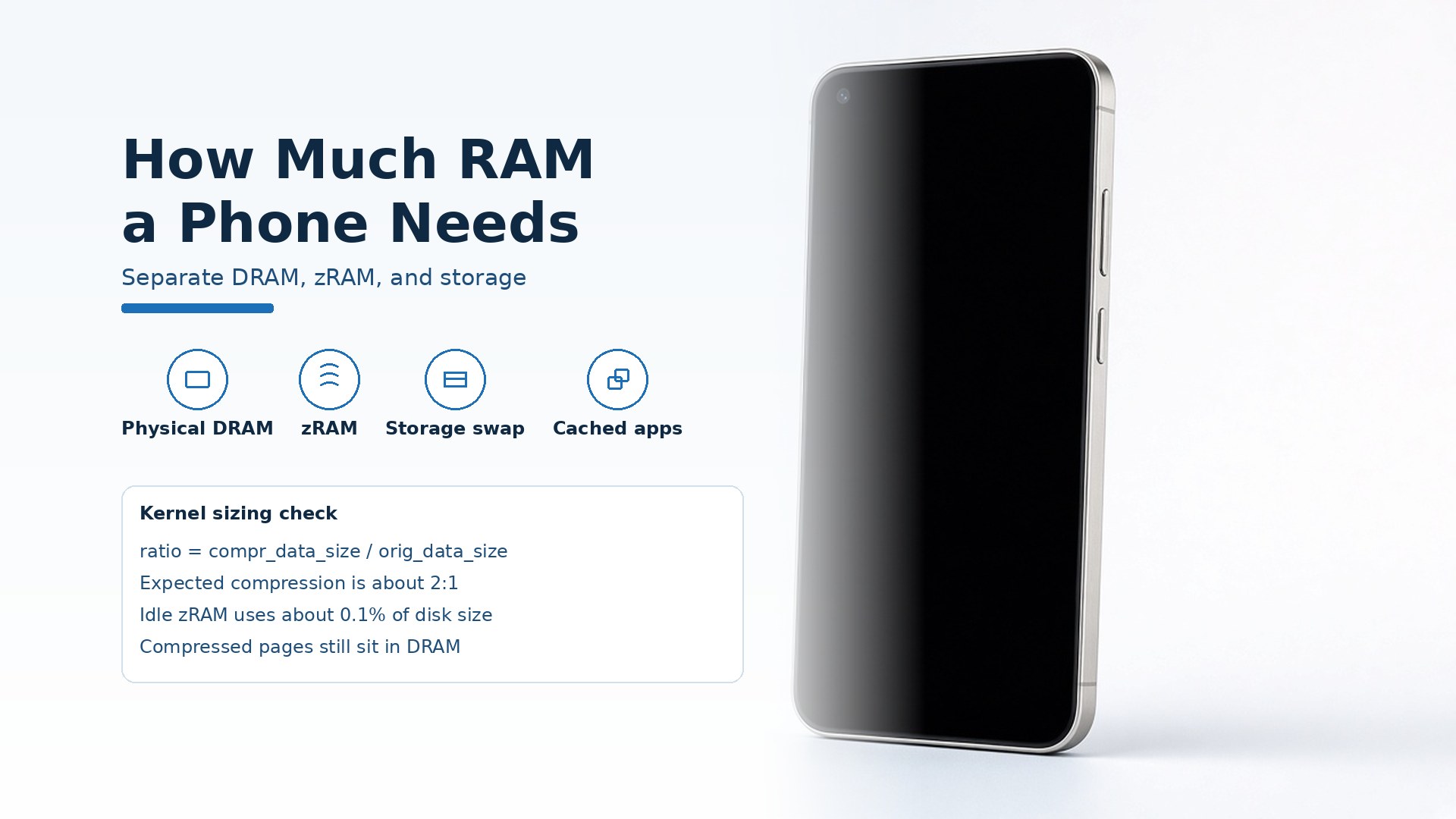
Buying the largest RAM number on the box fails when that number mixes physical DRAM with storage used as virtual memory, and Android still kills the cached app you left open. A smartphone needs enough physical DRAM for the apps you switch among to stay in cache.
How much RAM a smartphone needs is the physical DRAM that lets Android keep those apps cached, counted apart from compressed RAM and from storage assigned as virtual memory. Android’s memory overview, last updated 19 May 2026, says leaving an app keeps its process cached so a return can reuse it. Low memory kills cached processes. Android 17 sets per-app limits from the device’s total RAM. Google’s 19 August 2026 note says manufacturers will apply those limits across configurations from 4GB to 16GB and above. At the allocated limit the system forces pages into zRAM, compressed RAM, and terminates the process if use keeps climbing. Samsung’s RAM Plus page, last updated 14 December 2022, is a separate control: you choose how much internal storage to use as virtual memory.
Scroll horizontally to see all columns.
| Input or item | Typical value or source | Why it matters |
|---|---|---|
| Physical DRAM | Device total RAM. Google, 19 August 2026: manufacturers will apply Android 17 per-app limits across configurations from 4GB to 16GB+. | The limit is based on total RAM. This is the figure to compare. |
| zRAM | Compressed RAM. At the allocated limit, Android 17 forces the app’s pages here. The kernel zram guide expects about a 2:1 compression ratio when sizing the disk. | Compressed pages still occupy DRAM, and compression costs CPU. |
| Storage as virtual memory | Samsung RAM Plus, support page last updated 14 December 2022: you select how much internal storage to use as virtual memory. | That assignment spends storage. Keep it out of the physical DRAM column. |
| Cached process | Android memory overview, last updated 19 May 2026: a left app stays cached so a return can reuse the process. Low memory kills cached processes. | A reload means the cache missed. The overview does not name a gigabyte to buy. |
| Frame time | Same overview: garbage collection can push work past the 16 ms threshold for smooth frame rendering. | A stutter can come from collection, or from zRAM’s CPU cost. |
Read physical DRAM, zRAM, and storage as three paths
Physical DRAM is the device total RAM that Android 17 uses when it sets a per-app limit. zRAM is compressed RAM. Storage-backed virtual memory, in the Samsung RAM Plus description, is internal storage you assign so more apps can stay open. Each path fails in a different place, and the prevention is different too.
Scroll horizontally to see all columns.
| Memory path | What the source says it is | Dominant failure mode | Prevention |
|---|---|---|---|
| Physical DRAM | Device total RAM. Android 17 bases per-app limits on it. The memory overview also says the heap limit varies with how much RAM the device has, and an allocation past that heap can raise OutOfMemoryError. | The working set passes the limit tied to total RAM, so the app slows or the process ends. | Keep the apps you switch among inside that limit. A smaller cached footprint raises the chance the process survives, and the overview still says a cached process can end at any time. |
| zRAM | Compressed RAM. At the allocated limit, Android 17 forces the app’s pages into zRAM. Compressing and decompressing adds CPU overhead and can produce UI jank. Past the zRAM threshold, the system terminates the process. The exit description can contain MemoryLimiter:AnonSwap. | UI jank from compression, then a killed process. | Treat zRAM as a buffer with a CPU cost. It is compressed DRAM, not a second row of chips. |
| Storage virtual memory | Samsung RAM Plus, 14 December 2022: internal storage used as virtual memory. You select the amount, then restart. The page says this can keep more apps open in the background and launch them faster. | The storage you assign is the same pool photos and downloads use, and the number is still not physical DRAM. | Record the storage assignment in its own column so the two figures stay apart. |
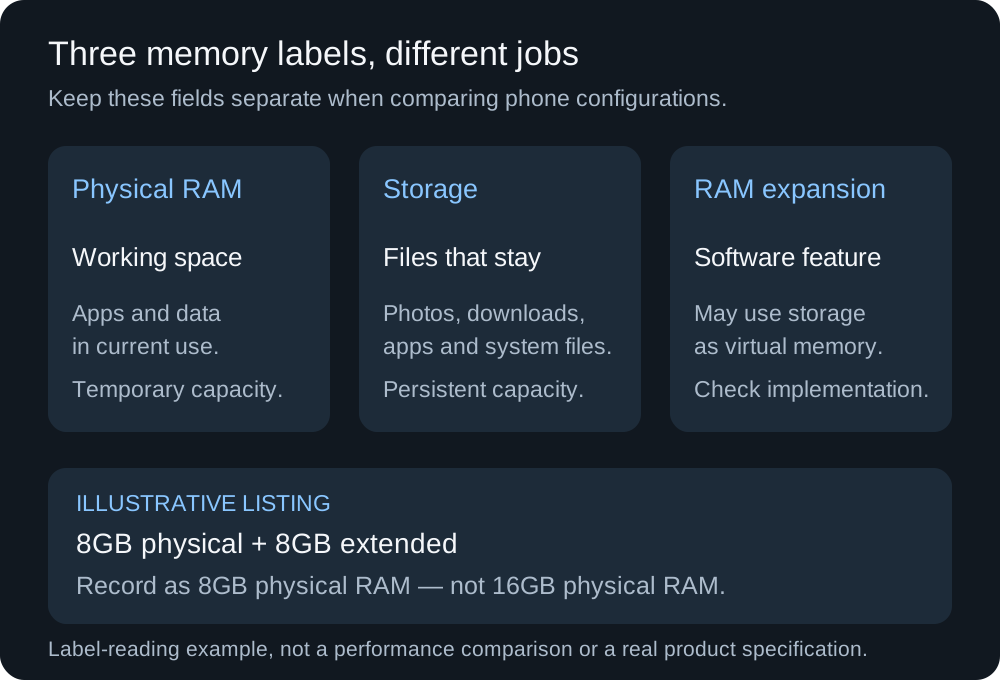
The 8GB plus 8GB line is a label-reading example. Add the columns only after you know the second number is physical DRAM.
Rule of thumb: if a zram disk exceeds 2 times the memory it sits in, the kernel zram administration guide says there is little point in that size, because the guide expects about a 2:1 compression ratio. The same note says zram uses about 0.1% of the disk size when idle, so an oversized disk spends memory before it holds any pages. A phone listing whose virtual-memory number is larger than its physical DRAM figure sits outside that expectation. Compare the physical figure.
A 2:1 ratio still occupies DRAM
The kernel exports two counters for a zram disk. orig_data_size is the uncompressed size of data stored, in bytes. compr_data_size is the compressed size of that data. mem_used_total is the memory allocated for the disk, including allocator fragmentation and metadata, so it can sit above compr_data_size.
ratio = compr_data_size / orig_data_size
Under the guide’s expected 2:1 ratio, orig_data_size is about twice compr_data_size, so the ratio is about 0.5.
Worked example with assumed counters, chosen so the division is visible: compr_data_size = 1,000,000,000 bytes and orig_data_size = 2,000,000,000 bytes. ratio = 1,000,000,000 / 2,000,000,000 = 0.5. Those two billion uncompressed bytes occupy about one billion bytes of compressed data, and that compressed data still resides in DRAM.
Idle cost, using the guide’s own 50 MiB disksize example: 50 × 1024 × 1024 = 52,428,800 bytes. About 0.1% of that disk, while unused, is 0.001 × 52,428,800 = 52,429 bytes. That is the empty-disk overhead on the guide’s example disk.
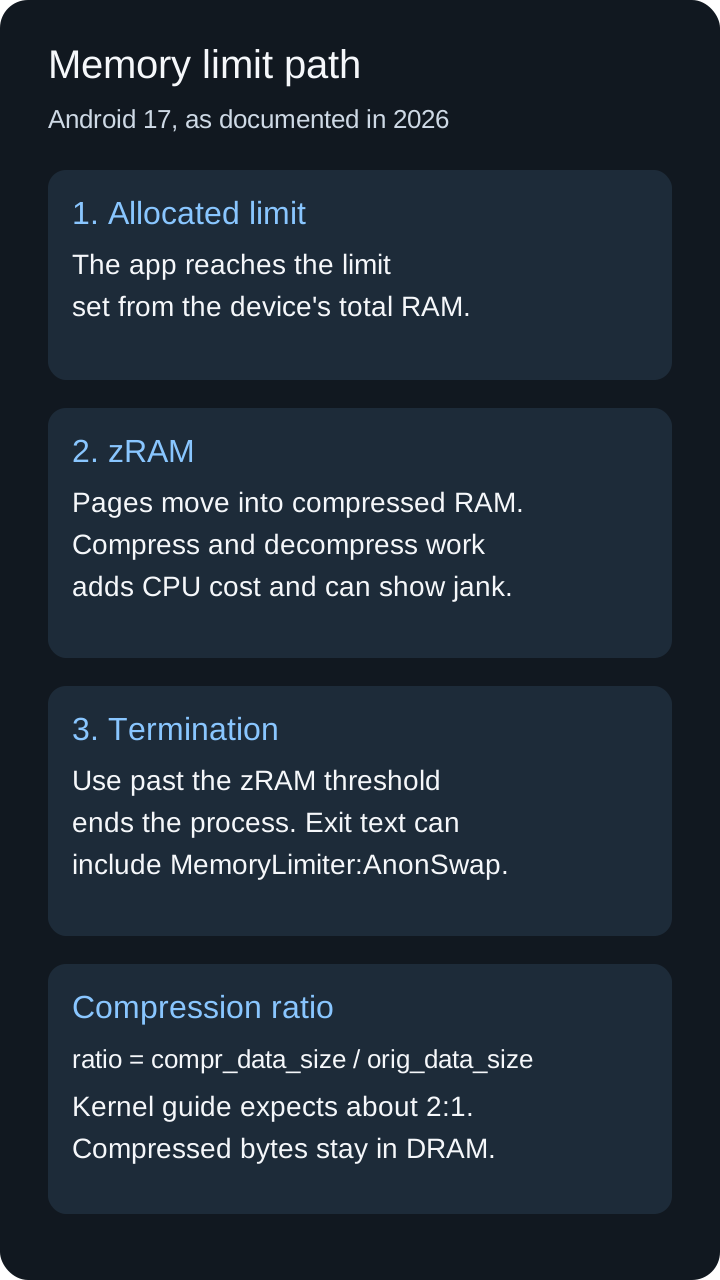
Order from the Android 17 behavior page and the 19 August 2026 developer post: compress first, then terminate if use keeps rising. The 2:1 line is the kernel guide’s sizing expectation.
A reload records a missed cache, which is a separate fact from the gigabyte
When you leave an app, Android keeps the process cached. A later return can reuse it. If the system is low on memory, it kills cached processes. The overview also says a cached process can be terminated at any time, whatever its size. A reload records that reuse did not happen. The physical DRAM size is still a separate column on the listing.
Garbage collection is a separate stutter. The same overview says collection stops the process, and that the pause can push execution past the 16 ms threshold for smooth frame rendering. zRAM adds CPU work when pages are compressed and decompressed. Note which pause you saw before you treat it as a reason to move to a higher physical DRAM configuration. The other parts of the phone, including storage, the update window, and the screen, stay in the comparison.
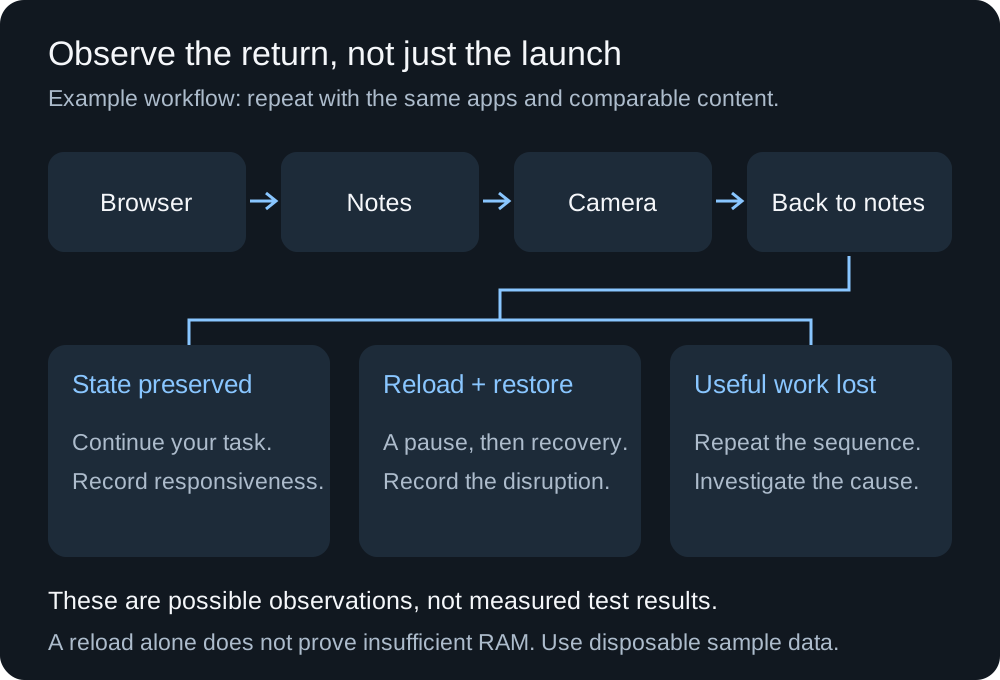
Repeat one sequence with disposable data. Preserved state, a restored reload, and lost work are different results.
Takeaway: Write down whether the work survived. The reload count, on its own, does not select a DRAM size.
Stutter, a killed app, and spent storage are the ownership costs
Android 17’s behavior note names what an unbounded memory outlier does to the phone: UI stuttering, higher battery drain, and apps being killed. A killed app makes you redo the form or the edit. Stuttering shows up in the frame you were watching. Higher drain is a battery question. The battery life comparison separates stored energy from the test behind any hour. This page does not assign a watt figure to a RAM size.
Storage assigned to virtual memory is a capacity cost. Samsung’s steps have you select how much internal storage RAM Plus will use, then restart. Photos, downloads, and app data draw on that same storage. Extra physical DRAM earns its place when your own switching loses work. A larger virtual-memory number, with the same physical DRAM, does not. Read the remaining update window in the software support guide, and judge the screen in the display guide. The smartphone guides collect those checks together.
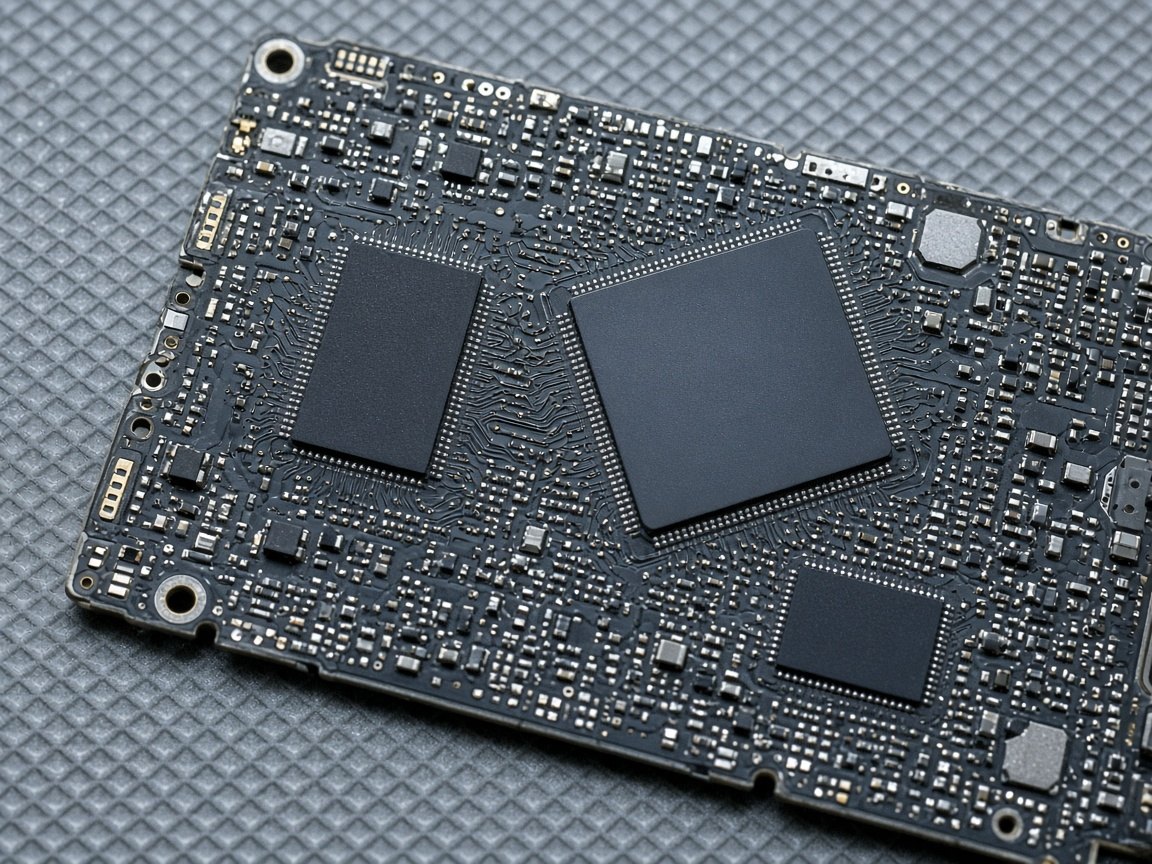
Physical memory is a package on the board. This photograph does not identify which package is DRAM. A listing that prints two RAM numbers still needs that split in writing.
When this comparison does not apply
These Android documents describe Android. An iPhone requirement needs Apple’s own listing for that model. The kernel’s 2:1 note is a sizing expectation for a zram disk in the kernel administration guide. The 4GB to 16GB+ span is the set of device configurations Google named for the per-app limits. Feature lists that name a model, a language, and a region still need that named check.
Method and sources
The pages below were fetched on 17 October 2026. A library copy of the 19 August 2026 Android Developers post was opened as well. The 2:1 ratio and the 0.1% idle note come from the kernel zram guide. The 1,000,000,000 byte counters in the worked example are assumed inputs. The 8GB plus 8GB line in the label diagram is an example of how to split a listing, not a handset.
Related articles
How to Compare Phone Software Support Before You Buy
A discount on older stock wastes the years you thought the receipt restarted. Subtract your purchase month from the maker's start month plus the published year count.
Read article
Using USB-C Headphones on Android: Digital Audio & DAC Checks
USB-C headphones stay silent when the adapter is analog-only. Use the AOSP digital-to-analog rules, then log playback, the microphone, buttons, and a blank call cell.
Read article
Is It Worth Replacing a Battery in a Cell Phone?
A worn battery can waste a cell phone that still works. Match the health screen, the software-support window, and the other hardware before you replace the phone.
Read article