Using USB-C Headphones on Android: Digital Audio & DAC Checks
USB-C headphones stay silent when the adapter is analog-only. Use the AOSP digital-to-analog rules, then log playback, the microphone, buttons, and a blank call cell.
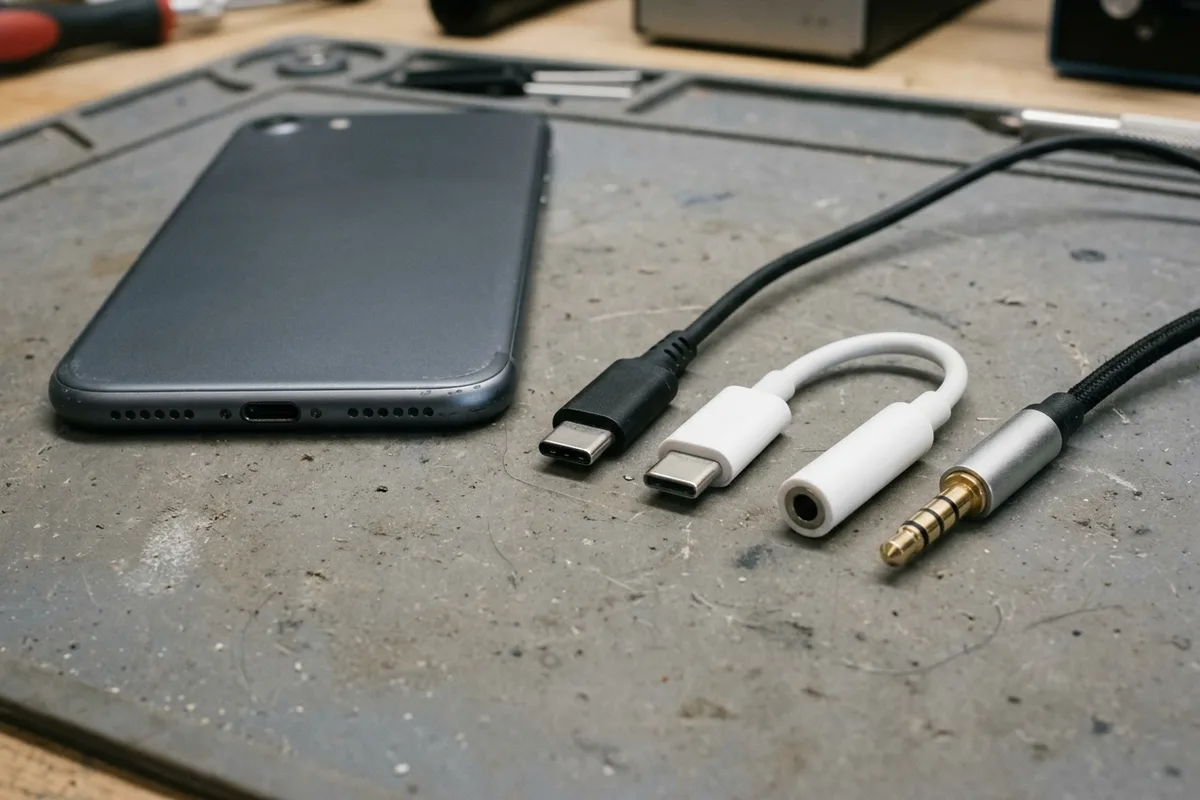
A passive USB-C adapter that never converts digital audio leaves the headphones silent and wastes the return window. Confirm the adapter is digital-to-analog, then record playback, the microphone, and the buttons as separate results. The Android Open Source Project adapter specification is the baseline for that check.
To use USB-C headphones or a 3.5 mm headset on an Android phone, the accessory has to convert USB digital audio. The Android Open Source Project USB-C-to-analog audio adapter specification, last updated 9 October 2026, allows only digital-to-analog adapters. It does not support analog-only adapters that follow the USB Type-C Cable and Connector Specification, Release 1.2, Appendix A. The allowed adapter converts 2 output channels from digital to analog, converts 1 input channel from analog to digital, and withholds UAC playback and capture endpoints until the 3.5 mm plug is inserted and identified. A headphone whose own plug is USB-C sits outside that adapter page, so copy any conversion statement from the accessory specification and leave the cell blank when the listing prints none. Phone model, sample rate, bit depth, and DAC chip name are absent from this specification, so those cells stay blank too.
Scroll horizontally to see all columns.
| Input or item | Value on the AOSP adapter page (9 October 2026) | Why it changes the keep-or-return decision |
|---|---|---|
| Phones without a 3.5 mm jack | Some new Android phones are produced without one. The page specifies an adapter so a 3.5 mm headset can plug into a USB-C port. | The page is an accessory baseline. It is not a list of handset models. |
| Allowed adapter | Digital-to-analog only | A listing that never states conversion matches the class the page rejects. |
| Rejected adapter | Analog-only adapters that follow Release 1.2, Appendix A, are not supported | A USB-C shell that fits is not support. |
| Output conversion | Digital to analog, 2 output channels | Stereo playback is this function. |
| Input conversion | Analog to digital, 1 input channel | The headset microphone is a separate function. |
| When endpoints appear | No UAC interface, playback, or capture endpoints until a device is inserted and identified | An empty adapter socket is a detection failure, not a broken driver. |
| Headphones terminal | Low-impedance transducers under 1 kiloohm, no microphone: 0x0302 | Listen-only. The page ties this ohm figure to the no-microphone case. |
| Headset terminal | Low-impedance transducers with a microphone: 0x0402 | The page does not repeat the 1 kiloohm figure on this line. |
| Line terminals | High-impedance input 0x603, high-impedance output 0x604, combined 0x400 | No ohm number is printed for “high.” |
| Button events | HID usage page 0x0C. Functions A, B, C, and D map to 0x0CD, 0x0E9, 0x0EA, and 0x0CF. | Presses are HID events. The page does not print the music-app action for each function. |
How do you check whether your Android phone and accessory use USB-C digital audio?
Split the check by which object owns the converter. The fetched specification covers one object: a USB-C-to-analog adapter between a 3.5 mm headset and a phone that has a USB-C port. It tells accessory makers the minimum behavior, and it allows extra features only when those requirements still hold.
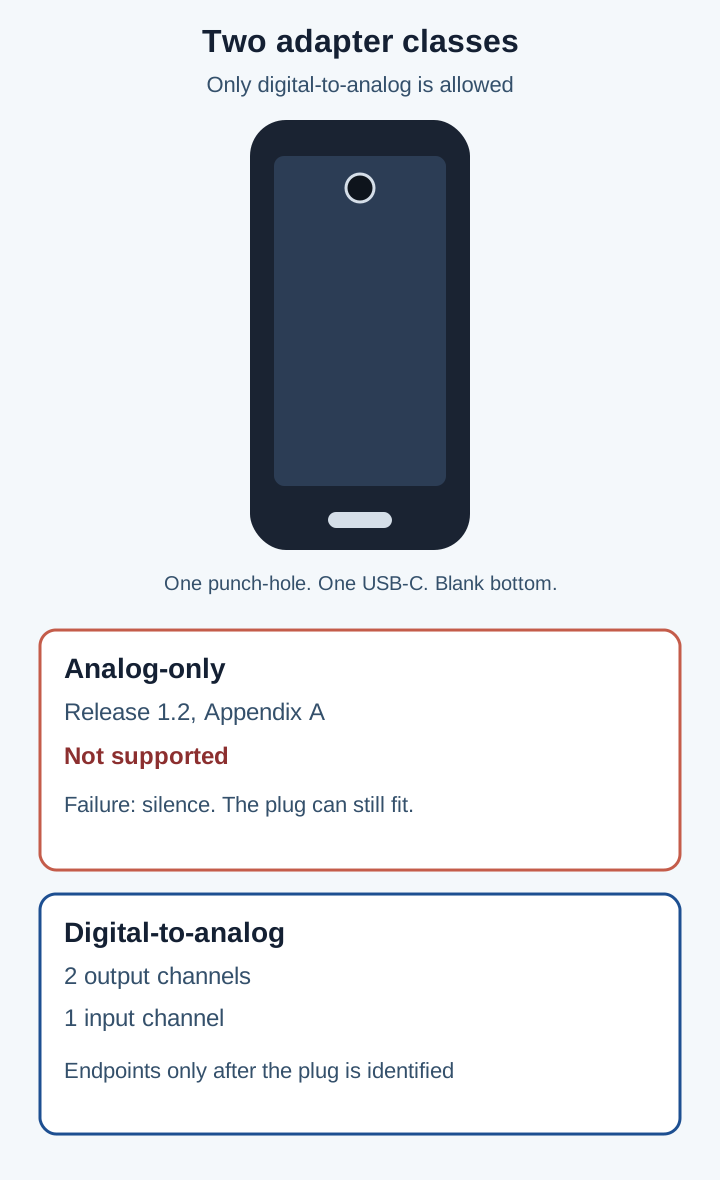
The handset is a drawing: one centered punch-hole, one centered USB-C port, blank bottom. Appendix A analog-only adapters are the unsupported class. The digital-to-analog class is the one the specification allows.
Adapter plus a 3.5 mm headset
On this path the 3.5 mm headset is an analog device. The adapter is the converter. Pass the accessory only when its specification states digital-to-analog conversion. The platform page requires that conversion for 2 output channels, plus analog-to-digital conversion for 1 input channel, plus detection of insertion, of a headset microphone, and of output impedance. It also requires translation of headset button events into HID events.
A product line that says “USB-C audio cable” and never mentions conversion fails this check. Record the field as blank. Do not fill it from the plug shape. The USB-C connector guide keeps the 60W and 240W marks on the cable, where they are logos. Neither logo is a headphone rating or a charger rating, and neither logo shows that an adapter converts digital audio.
Headphone with a USB-C plug
A headphone that ends in USB-C is not the adapter this page specifies. The page does not print that product’s descriptors, and it does not print where its converter sits. Use the same evidence rule anyway: the listing has to state digital-to-analog conversion, or the conversion cell stays blank. Copy the phone’s model from the handset. The adapter page does not print a phone list, a settings menu, or a yes/no flag called “USB-C digital audio,” so that phone cell stays blank until the phone maker’s own page prints it.
Takeaway: The keep decision starts with one sentence on the accessory page: digital-to-analog conversion. Without that sentence, stop and leave the cell blank.
What are analog USB-C headphones, and why do passive adapters fail on digital-only ports?
Analog USB-C headphones, and the passive adapters sold with them, expect the phone to place an analog waveform on the USB-C pins. The AOSP adapter page calls that class analog-only and points at USB Type-C Cable and Connector Specification, Release 1.2, Appendix A. The page’s rule is short: only digital-to-analog adapters are allowed, and those Appendix A analog-only adapters are not supported.
The failure mode is silence with a plug that still seats. The phone that follows this specification has no duty to drive analog audio out of the USB-C port for an Appendix A adapter. Prevention is a digital-to-analog adapter that performs the 2-channel output conversion and the 1-channel input conversion, and that withholds UAC endpoints until the 3.5 mm device is identified. UAC is the abbreviation the page uses for that USB audio interface. The page does not expand it further.
Scroll horizontally to see all columns.
| Class | What the 9 October 2026 page says | Dominant failure mode | Prevention |
|---|---|---|---|
| Digital-to-analog adapter | Allowed. Converts 2 output channels and 1 input channel. | Endpoints show up before the 3.5 mm plug is identified, so the phone never sees a headset. | Insert and identify the plug first. Log playback, the microphone, and the buttons on separate lines. |
| Analog-only adapter, Release 1.2 Appendix A | Not supported. | No supported audio path. The USB-C shell still fits the port. | Replace it with a digital-to-analog adapter. Do not score the shell as a pass. |
| Headphone whose plug is USB-C | Not specified on this page. | The listing never states conversion, and a buyer fills the gap from the plug outline. | Leave the conversion cell blank until the accessory page prints the conversion. |
Rule of thumb: If transducer impedance is under 1 kiloohm and the plug has no microphone, the adapter must report terminal 0x0302. That terminal is headphones. It is the no-microphone case. The 1 input channel belongs with a microphone, which is terminal 0x0402.
Worked example. The headphone rule is: report 0x0302 when Z is under 1 kiloohm and the microphone contact is absent. 1 kiloohm is 1000 ohms. Assume the adapter measures 32 ohms and finds no microphone contact. 32 is under 1000, so the reading clears the printed threshold. The microphone is absent, so the terminal is 0x0302. Terminal 0x0402 needs a microphone, and this assumed reading does not meet it. The 32 ohm figure is only the assumed input for that comparison. The specification does not print 32 ohms, a sample rate, or a bit depth.
High impedance is a different branch, and the page prints no ohm value for it. Line in is 0x603, line out is 0x604, and line in plus line out, or line in plus mic, is 0x400. Leave those ohm cells blank.
This page does not apply when you plug a 3.5 mm headset into a round jack on the phone. The specification is for 3.5 mm headsets on devices that have a USB-C port, written for phones produced without the round jack.
Why does connection order matter when using a USB-C to 3.5 mm DAC adapter?
The adapter is not an always-on sound card. Digital-to-analog conversion is the function inside an allowed adapter. The page still blocks the USB side until the analog plug is known:
The adapter shall not present any UAC interface, playback, or capture endpoints to the USB host until a device is inserted and properly identified.
Connect the 3.5 mm headset so the adapter can detect insertion, the microphone, and output impedance. Then connect USB-C. If the USB-C end is attached while the round socket is empty, the rule says the host gets no playback endpoint and no capture endpoint. Re-seat the headset and connect again before you treat the phone as the fault.
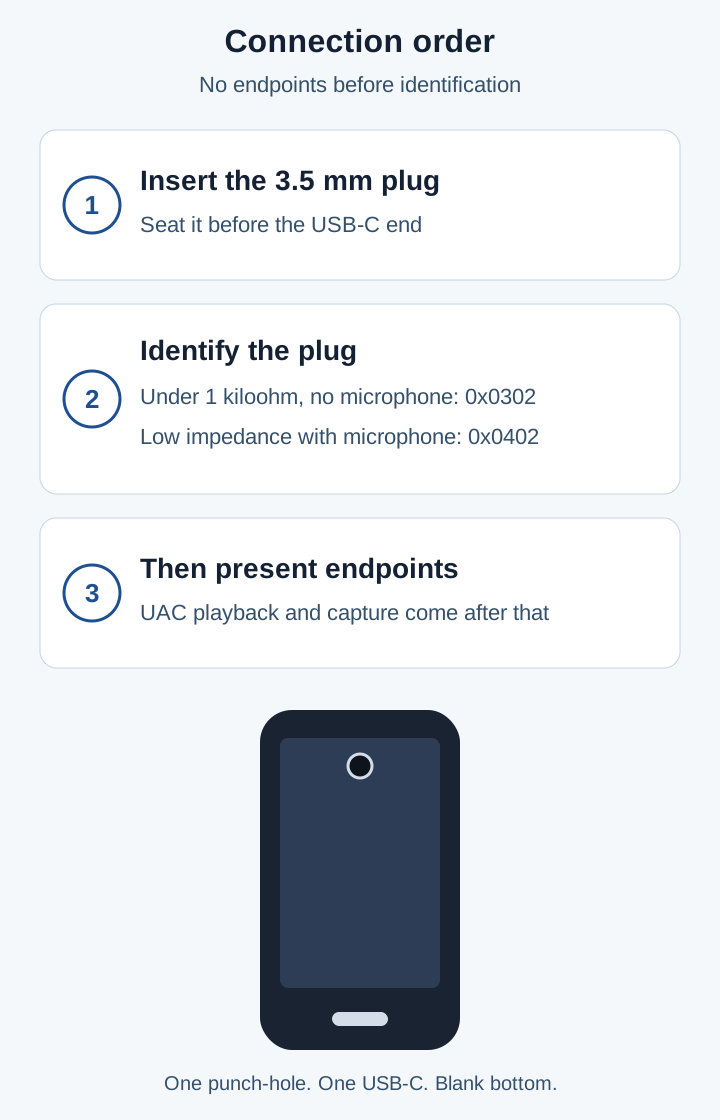
Identification comes before endpoints. The phone drawing has one centered punch-hole, one centered USB-C port, and a blank bottom.
After identification, the adapter reports one of these terminals. Copy the condition from the same line. Do not borrow the 1 kiloohm figure for a line that does not print it.
Scroll horizontally to see all columns.
| Terminal the page prints | Condition printed on that line | What you can conclude |
|---|---|---|
| 0x0302 Headphones | Low-impedance transducers, under 1 kiloohm, no microphone | Listen-only. This is the line that prints the 1 kiloohm threshold. |
| 0x0402 Headset | Low-impedance transducers with a microphone | The microphone is present. The page does not print an ohm number on this line. |
| 0x603 Line in | High-impedance input | No ohm number is printed. |
| 0x604 Line out | High-impedance output | No ohm number is printed. |
| 0x400 | Line in and line out, or line in and mic | No ohm number is printed. |
A plug with no microphone contact matches 0x0302 when impedance is also under 1 kiloohm. A plug the adapter identifies as a low-impedance transducer with a microphone is the 0x0402 case. The page does not print a second numeric cutoff on the headset line.
Takeaway: Empty socket first, then the phone, is a missed identification. The host is not supposed to see audio endpoints yet.
Why can music play while the microphone, voice calls, or inline buttons fail?
Music, the headset microphone, a voice call, and the inline buttons are different functions on the same adapter. A pass on the 2 output channels does not move the other three.
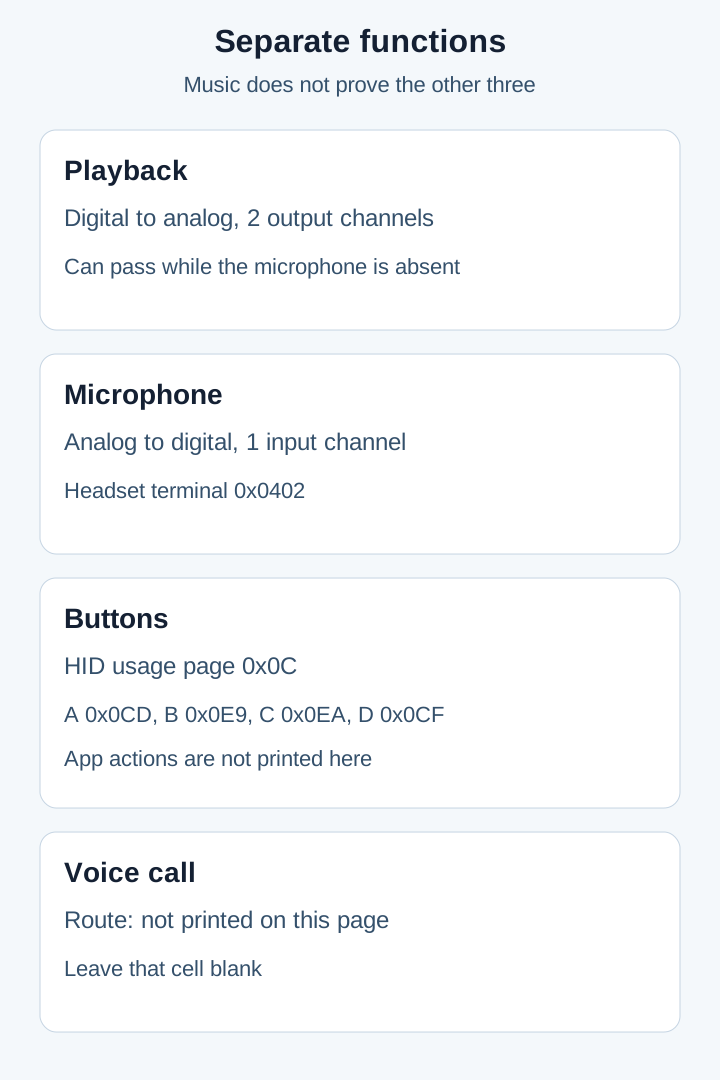
Playback can succeed on its own. The voice-call row stays blank because this specification does not print a call route.
Playback is digital-to-analog conversion of 2 output channels. That is the function a listen-only headphone terminal needs. Terminal 0x0302 is exactly that case: impedance under 1 kiloohm, no microphone. Music in both ears is a pass for playback and a non-result for the microphone.
The microphone is analog-to-digital conversion of 1 input channel. The overview lists “detection of headset microphone” beside that conversion. Terminal 0x0402 is the low-impedance transducer with a microphone. If the adapter reported 0x0302, the microphone function was not the one it identified. Record the memo while speaking into the headset microphone, away from the phone. Pass when playback of that memo is the headset microphone.
Voice calls are not on the page. A call needs far-end audio, which can use the 2 output channels, and it needs your voice, which needs the 1 input channel when the headset microphone is the transmitter. The page never prints a telephony route, a dialer rule, or a per-phone exception. If playback and the microphone both pass and the call still fails, leave the call cell blank. Do not invent a settings name to explain it.
Inline buttons are HID, not audio samples. The adapter must convert analog button events that conform to the Android analog headset specification into these HID events. This fetch does not include that analog headset page, so the play, volume, and voice-command meanings stay off the table. What this page does print:
Scroll horizontally to see all columns.
| Function | HID usage page | HID usage |
|---|---|---|
| A | 0x0C | 0x0CD |
| B | 0x0C | 0x0E9 |
| C | 0x0C | 0x0EA |
| D | 0x0C | 0x0CF |
Press each button and write the phone’s response on the matching letter. Where the phone does nothing, leave the action blank.
What settings and port checks should you run before blaming the headphones?
Run the identification checks the specification actually names. The page does not name a sound-settings toggle, a developer switch, or a cleaning step, so those names stay off this list.
- Read the accessory listing for digital-to-analog conversion of 2 output channels and analog-to-digital conversion of 1 input channel. If both are missing, the accessory matches the unsupported analog-only class. Stop there.
- Seat the 3.5 mm plug until the adapter can identify it, then connect the USB-C plug. Endpoints are forbidden until that identification exists.
- Play two clips in two apps. If the phone speaker keeps playing, the playback endpoint is not the active output. That fits an unidentified plug or an analog-only adapter.
- Record a short voice memo at the headset microphone. A clear headset voice matches the 1 input channel. A silent memo, or a memo that only catches room sound at the phone, matches terminal 0x0302 or a missed microphone detection.
- Press functions A through D once each. Log the HID result against 0x0CD, 0x0E9, 0x0EA, and 0x0CF. Leave the app-action cell blank when you cannot tell which press did what.
- Place a call only after playback and the microphone have both passed. The call route is not printed here. A failed call stays a blank cell.
- Copy a settings label only from the phone maker’s own support page. This specification does not give you a label to flip.
A port that also refuses to charge is outside the adapter page. Follow the USB-C charger troubleshooting guide and change one part at a time.
Common mistake: Returning the headset after a music test alone. Playback is the 2-channel output. The microphone, the call route, and the HID buttons are still open lines.
Copyable compatibility matrix and four-function acceptance log
Use one row per phone and accessory. Copy a value only when the AOSP page or the accessory page prints it. A cell with no printed value stays empty.
Choosing the handset is a separate job. The smartphone guides cover software support, displays, and RAM. They do not substitute for the adapter class below.
Device and accessory evidence
Scroll horizontally to see all columns.
| Field | Printed on the AOSP adapter page, 9 October 2026 | Your phone and accessory |
|---|---|---|
| Allowed adapter class | Digital-to-analog only | |
| Rejected class | Analog-only, Release 1.2 Appendix A | |
| Output conversion | 2 channels, digital to analog | |
| Input conversion | 1 channel, analog to digital | |
| Endpoints appear | After the 3.5 mm device is inserted and identified | |
| Headphones terminal | 0x0302, under 1 kiloohm, no microphone | |
| Headset terminal | 0x0402, low impedance, with microphone. No second ohm value. | |
| Line in | 0x603. Ohm value not printed. | |
| Line out | 0x604. Ohm value not printed. | |
| Combined line | 0x400. Ohm value not printed. | |
| Button HID page | 0x0C | |
| Functions A, B, C, D | 0x0CD, 0x0E9, 0x0EA, 0x0CF | |
| Phone model | ||
| Sample rate | ||
| Bit depth | ||
| DAC chip name | ||
| Voice-call route |
Four-function acceptance log
Seat the 3.5 mm plug before the USB-C plug. Write one result per row.
Scroll horizontally to see all columns.
| Test | Check grounded in the specification | Pass | If it fails |
|---|---|---|---|
| Stereo playback | 2 output channels after the plug is identified | Sound in the headset, phone speaker quiet | Analog-only class, or endpoints never presented |
| Microphone | 1 input channel, headset terminal 0x0402 | The memo is the headset microphone | 0x0302, or the microphone was not detected |
| Voice call | |||
| Inline buttons | HID page 0x0C, usages 0x0CD, 0x0E9, 0x0EA, 0x0CF | One press, one response, on the letters you can map | No HID response. Leave the unmapped action blank. |
Phone model (from the phone):
Android version (from the phone):
Round 3.5 mm jack on the phone (yes/no):
Path (USB-C headphone / USB-C to 3.5 mm adapter):
Accessory model (from the accessory):
Listing states digital-to-analog conversion (yes/no/blank):
3.5 mm plug seated before USB-C (yes/no):
Test 1 playback, 2 output channels:
Test 2 microphone, 1 input channel:
Test 3 voice call (leave blank):
Test 4 buttons A 0x0CD, B 0x0E9, C 0x0EA, D 0x0CF:
Decision (keep / blank cell still open / replace with a digital-to-analog adapter):
Frequently asked questions
Does a matching USB-C shell mean the adapter converts digital audio?
No. The specification allows digital-to-analog adapters and does not support analog-only Appendix A adapters. Both can use the same shell. The conversion sentence is the evidence. Without it, the cell stays blank.
Which terminal applies under 1 kiloohm with no microphone?
Terminal 0x0302. The page prints that code for low-impedance transducers under 1 kiloohm with no microphone, and it names that terminal headphones. The microphone terminal on the next line is 0x0402, and that line does not repeat the 1 kiloohm figure.
Why is the voice-call cell left blank?
The adapter page defines 2 playback channels, 1 capture channel, and four HID button usages. It does not define a telephony route. A failed call stays blank until the phone maker’s support page prints the route. A music-only pass does not fill that cell.
Sources and method
The tables copy the Android Open Source Project page USB-C-to-analog audio adapter, last updated 2026-10-09 UTC. The HTML was fetched once on 18 October 2026 and returned HTTP 200. The response Last-Modified header is Fri, 09 Oct 2026 18:22:13 GMT. Scope is the minimum behavior of a USB-C-to-analog adapter for 3.5 mm headsets on devices with a USB-C port, including phones produced without a 3.5 mm jack. The page encourages accessory makers to add features while keeping these requirements.
A library search the same day did not return this specification. Host-filtered searches of source.android.com, support.google.com, samsung.com, and usb.org returned no documents. The article therefore does not import phone-model examples, menu names, sample rates, bit depths, or DAC chip names from other pages. Where this specification prints no number, the cell is empty.
Button behavior beyond the four HID usages is delegated by this page to the 3.5 mm headset specification. This article copies only the HID usages printed on the adapter page. The USB-C connector guide is the on-site page for the 60W and 240W cable logos. Those logos stay cable labels. They are not a headphone rating and not a charger rating.
Related articles
Is It Worth Replacing a Battery in a Cell Phone?
A worn battery can waste a cell phone that still works. Match the health screen, the software-support window, and the other hardware before you replace the phone.
Read article
How to Compare Phone Battery Life
Best smartphone battery life is the endurance hour under one named test. Copy that hour, the rated capacity, and the class from the sheet that prints them.
Read article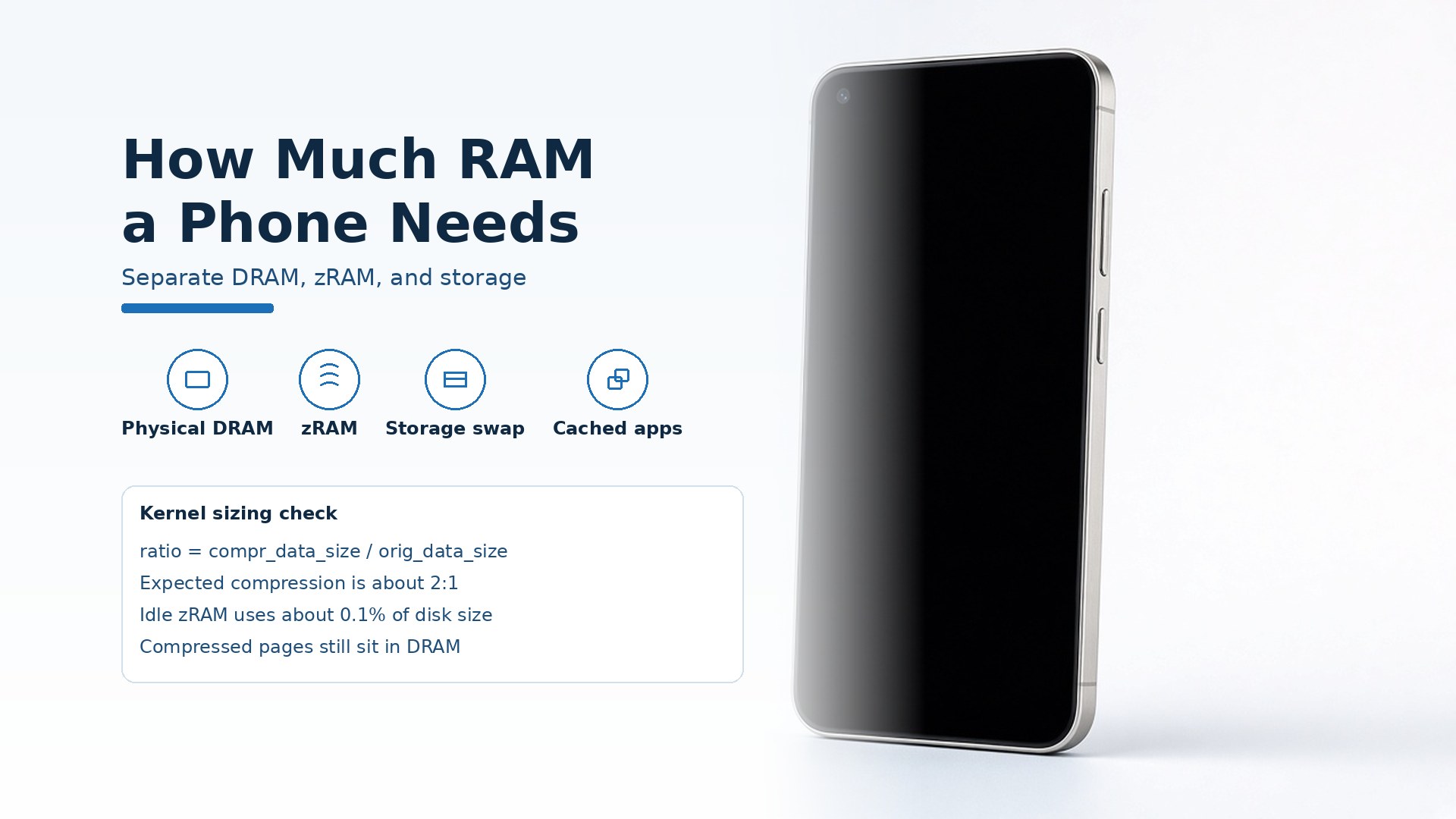
How Much RAM Does a Smartphone Need?
A smartphone needs enough physical DRAM to keep your apps cached. Keep zRAM and storage-backed virtual memory in separate columns.
Read article