USB-C Charger Cable: 60W vs 240W E-Marker Identification
Identify a USB-C charger's cable by its 60 W or 240 W label, current capability and e-marker; distinguish older 100 W cables from EPR.
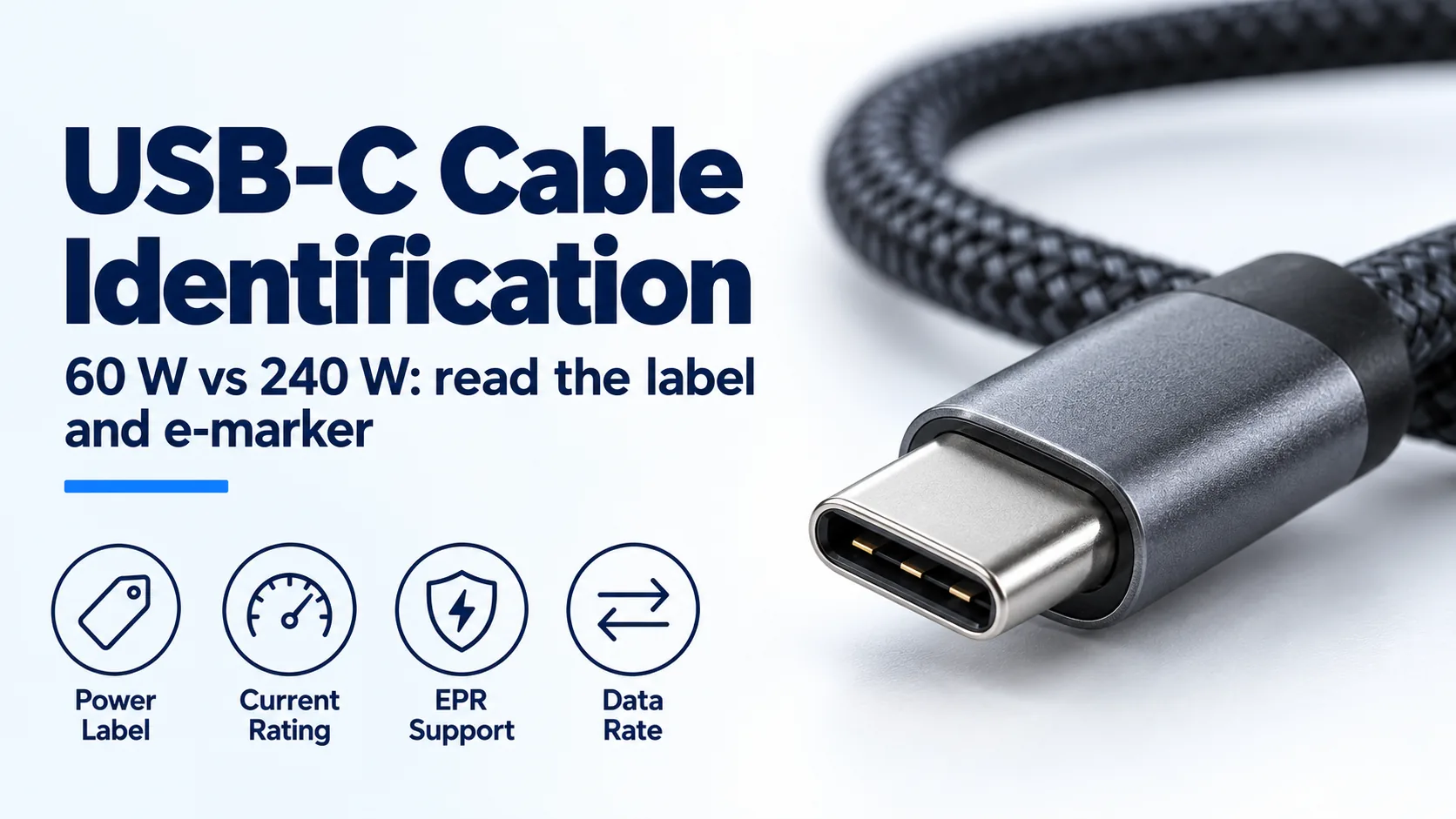
A USB-C charger cable chosen by appearance can limit a charging mode even when the charger has enough power. For 60W vs 240W cable identification, check the cable’s power marking, its documented current capability and its e-marker information, then match those limits to the charger and device.
A 60 W or 240 W cable label describes cable power capability, while an e-marker reports electronic cable identity. The marker’s presence alone does not establish a 240 W rating: older 100 W cables also used electronic marking, and data-capable cables can need it for other reasons. For higher-power charging, verify current capability and Extended Power Range support as applicable; then confirm the source and device support the requested mode. A cable cannot add an output profile to either endpoint.
Use this identification guide alongside the USB-C Power Delivery explainer. The Charging & Power Guides provide the parent collection for charger, cable and device compatibility.
Scroll horizontally to see all columns.
| Input or item | Typical value or source | Why it matters |
|---|---|---|
| Cable power label | USB-IF compliance labels: 60 W or 240 W | Describes cable capability separately from charger output |
| Current capability | Type-C specification and the exact cable’s documentation | A power number needs a voltage and a current behind it |
| Electronic identity | Cable e-marker response where implemented | Identifies declared cable characteristics, not actual charging watts |
| Older cable listing | 100 W may describe the previous power ceiling | It does not by itself establish EPR support |
| Data capability | Separate data-rate mark and product specification | Charging capability does not settle disk or display compatibility |
| Charger and device | Their documented output and input modes | Both endpoints must support the charging mode |
Read the cable label separately from the charger
Start with the marking on the cable and the documentation for that exact cable. The largest number on a charger belongs to the charger, and may also depend on which ports are occupied. Moving that number onto an unidentified lead skips a necessary compatibility check.
The USB-IF Cables and Connectors page, checked 19 October 2026, requires 60 W or 240 W power markings for USB-C to USB-C cables passing its compliance program. Its marking example combines a 20 Gbps data capability with 20 V at 3 A and the corresponding 60 W label. These are separate capabilities on the same cable.
A missing mark on an older or unidentified lead does not tell you its internal construction. If you cannot connect it to reliable product documentation, keep its capability unconfirmed. For a replacement, choose a cable with a traceable specification for the mode you need. Cable thickness, braid, connector color and packaging adjectives are poor substitutes for that record.
Use voltage and current to understand the classes
Power is the product of voltage and current at a particular operating point. It is not a value the cable produces on its own:
Power (W) = voltage (V) × current (A)Worked example: USB-IF’s cable-label example, checked 19 October 2026, uses 20 V × 3 A = 60 W. This explains that example’s power label; it does not mean every connected device requests that voltage or current.
The USB-IF charger overview, checked the same day, describes the previous USB PD ceiling as 100 W using 20 V and a cable rated at 5 A. It also describes the later ceiling of 240 W and the 48 V fixed-voltage mode. Thus the historical comparison is 20 V × 5 A = 100 W, while the upper EPR power example is 48 V × 5 A = 240 W. The voltage capability changed as well as the power ceiling.
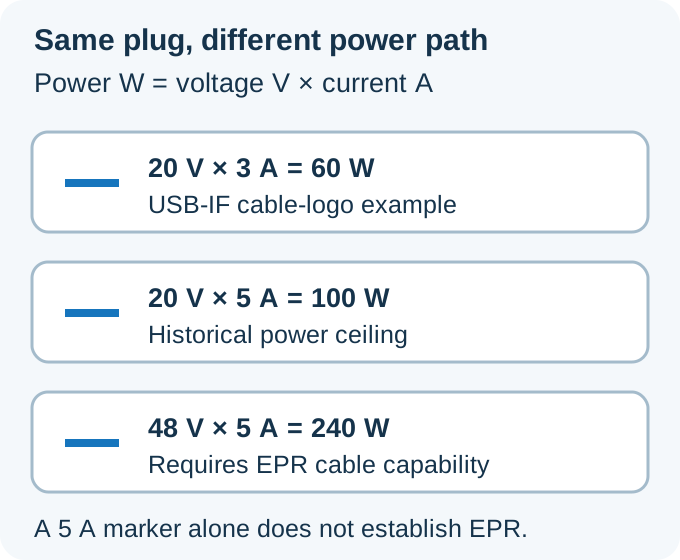
Arithmetic explains the ratings. It does not establish which contract your charger and device will negotiate.
Do not divide a cable’s maximum wattage by an arbitrary device voltage to infer an available current. Use the documented current capability instead. A maximum power label describes an allowed envelope, not a constant-power guarantee at every voltage within it.
Threshold rule: If a cable’s documented capability is less than 5 A when the required charging mode exceeds 3 A, choose an appropriately electronically marked 5 A cable, because the Type-C specification requires electronic marking for cables rated above 3 A. If the requested mode is EPR, verify EPR capability as a separate requirement.
What an e-marker actually identifies
An e-marker lets compatible equipment discover cable characteristics. It is an electronic identity function, so it answers a different question from a power meter or a product-certification record.
The USB Type-C specification Release 2.5, March 2026, checked 19 October 2026, defines the identity response in section 4.9. Section 3.1.2 requires electronic marking for full-featured cables and cables rated above 3 A. Consequently, finding a marker does not establish which of those requirements caused it to be present.
For a buyer, the useful result is a consistent set of records. The product specification, physical power marking and any supported identity readout should describe compatible capabilities. A vague statement that a cable is “chipped” leaves the important questions unanswered. Ask what current and power range the product actually supports.
If using an identity reader, follow that reader’s supported connection procedure. Keep the identity result separate from the measured charging contract. A readout that displays actual watts is reporting an operating result; that number alone does not identify the cable’s maximum capability. Likewise, an identity readout is not a load test of the entire assembly.
Older 100 W cables and EPR cables are different
An older electronically marked 5 A cable should not be promoted to EPR merely because the current figure matches. Release 2.5 distinguishes the cable classes and says the previous SPR 5 A cables have been replaced by EPR cables in its defined cable lineup.
Sections 2.4 and 3.11 of that specification require EPR electronic identity to indicate 50 V and 5 A capability, with the EPR Mode Capable indication. The 50 V value is a cable identity rating; it is separate from the 48 V charging mode described on the charger overview. Do not multiply the identity rating into a new advertised charging ceiling.
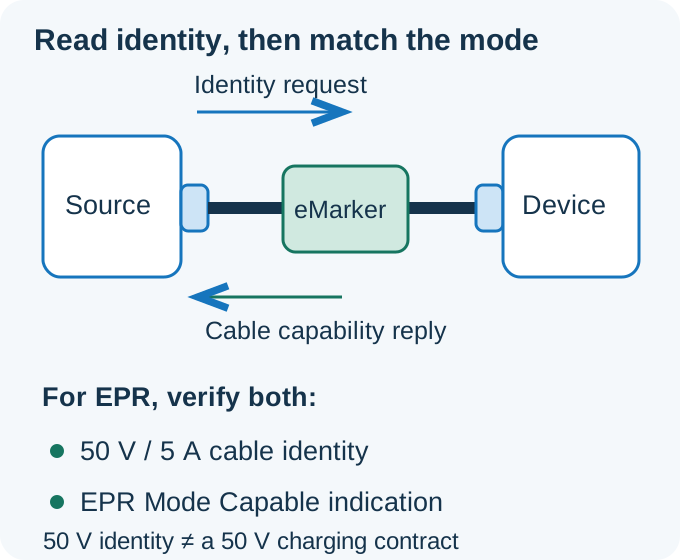
Conceptual identity exchange. Cable identity, the negotiated output and actual device consumption remain distinct records.
This distinction makes an existing cable collection easier to sort. Keep a documented older cable for equipment within its specified capabilities. For a newly required EPR connection, select a cable explicitly documented for EPR. Buying another cable solely because it contains a marker can reproduce the original mismatch.
Keep data and display requirements on the checklist
A suitable charging cable may still be unsuitable for the data or display connection you intend to use. Check the cable’s data specification independently, particularly when it will also serve a dock, external drive or display.
USB-IF’s cable page requires a separate data-rate mark for applicable cable classes; USB 2.0 cables still require the power mark under its compliance rules. The relevant conclusion is that a power label alone does not answer the data question. The USB-C cable selection guide covers those additional compatibility checks.
Write down the intended role before comparing products. A charging lead kept in a travel bag and a desk cable serving a display can have different requirements even when both charge the same laptop. Choosing a shared replacement requires the complete set of documented capabilities. Otherwise, labeling the cables by their intended use can prevent an inconvenient swap later.
Where identification fails
The most common reasoning errors mix evidence from different objects. Keep the source, cable and device in separate rows until the required mode is supported across the connection.
Scroll horizontally to see all columns.
| What you find | What it establishes | Dominant failure mode & prevention |
|---|---|---|
| A high-power charger label | A claim about the source | The requested current is unavailable or charging falls back if the cable cannot support it; use an electronically marked 5 A cable when that current is required and verify both endpoint modes. EPR also requires support on the cable and both endpoints |
| A 60 W cable label | The stated cable power class | A requested mode outside the cable’s current or power range is unavailable or falls back; select an electronically marked 5 A cable when that current is required, plus EPR support on the cable and both endpoints for EPR |
| An older 100 W cable listing | A historical power class, when correctly documented | An EPR request over an SPR-only cable cannot use EPR and may fall back; use an EPR-capable electronically marked 5 A cable and confirm EPR support on both endpoints |
| An e-marker response | Declared cable identity | The requested current or EPR mode is unavailable or falls back if the identity lacks the required capability; verify 5 A capability when needed and EPR identity plus both endpoints’ EPR support for EPR. A marker alone does not establish certification |
| A 240 W cable label | The stated higher cable power class | The requested EPR mode is unavailable or falls back if either endpoint lacks support; verify the cable’s EPR identity and both endpoints’ support for that mode. The cable label does not establish actual charging power |
| A data-rate mark | A separate data capability | The requested charging current or EPR mode is unavailable or falls back if the power path lacks support; check the power label and electronic identity separately, use an electronically marked 5 A cable when needed, and require EPR support on the cable and both endpoints for EPR. A data mark is not a charging rating |
For an unidentified cable, uncertainty is itself useful information. It tells you where the documentation chain stops. Avoid converting a successful slow charge into proof that the cable supports a more demanding mode.
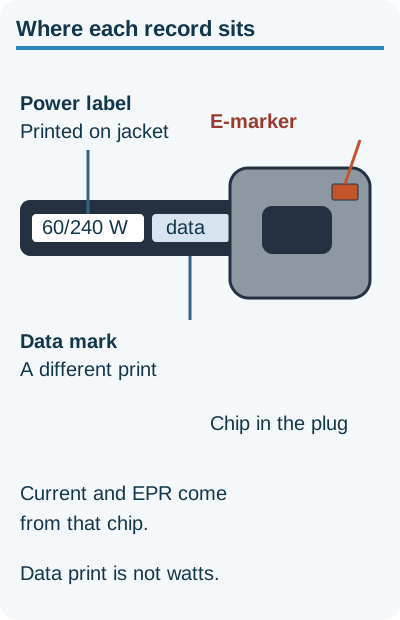
A data mark does not establish the charging current.
Hidden costs: repeated purchases and lost troubleshooting time
The avoidable cost is buying another cable that solves only part of the connection. A charger upgrade can leave the original cable limitation in place. A cable upgrade can leave the charger or device limitation in place. A power-compatible replacement can still require another purchase for the intended data connection.
Make a short record before ordering: device charging mode, selected charger port, simultaneous-port conditions, cable current and power range, and any data or display requirement. Match the proposed cable against that record. Where a field is unknown, resolve that field rather than choosing a larger headline wattage as a substitute.
If charging underperforms, change a known component while keeping the remaining setup consistent. The USB-C charger troubleshooting guide helps isolate the source, lead and device connection. Keep cable identity and observed charging behavior in separate notes so a low reading is not automatically blamed on the cable.
The decision is complete when the documented cable capability covers the required mode and both endpoints support that mode. There is no need to infer wire gauges or internal construction from a power logo, and no reason to treat a marker as a promise of faster charging for every device.
Sources
Updated 19 October 2026. Method: compare USB-IF cable-label policy, its historical power overview and the published Type-C cable requirements. The diagrams explain those relationships; the arithmetic examples are not measured charging sessions.
Related articles
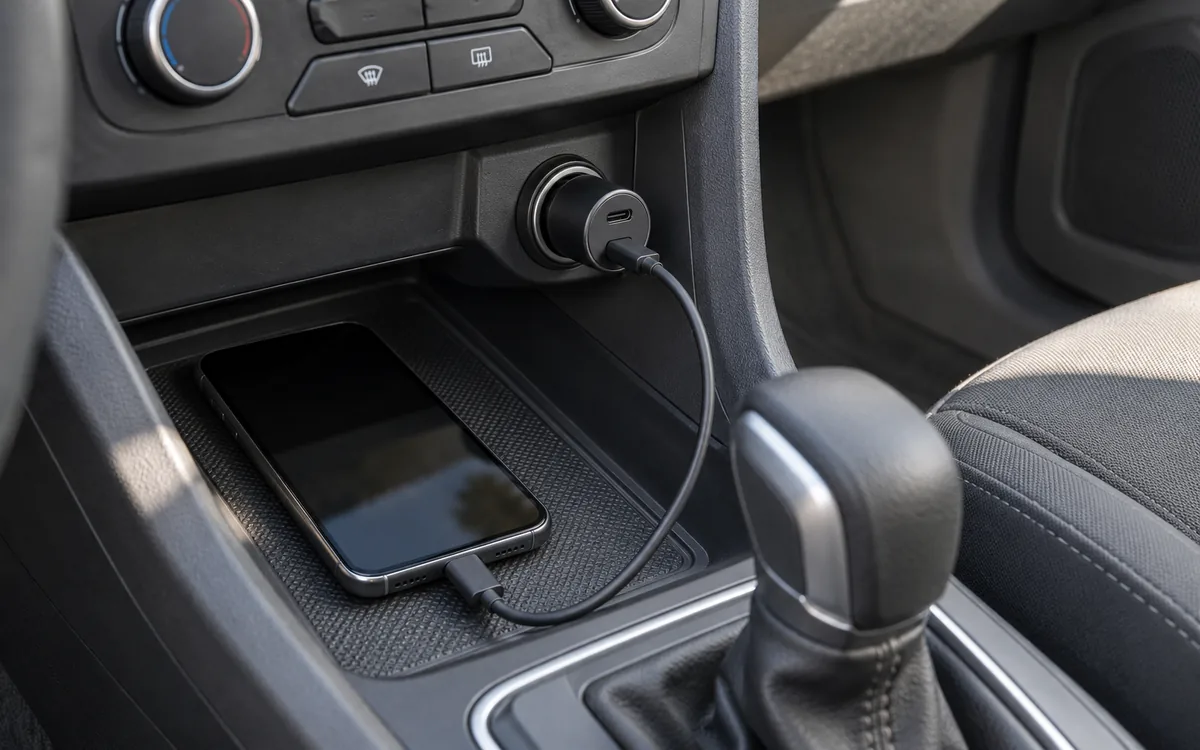
How to Choose a USB-C Car Charger for a Phone or Laptop
Match the socket limit, charger input, port PDO and PPS, and cable logo. PPS is USB PD 3.0 Programmable Power Supply. 60W and 240W are cable logos.
Read article
How to Choose a Fast Charger for a Samsung Android Phone
Match the Galaxy model row, then copy that adapter's PDO and PPS. PPS is USB Power Delivery 3.0 Programmable Power Supply. A 60W or 240W cable mark is a logo.
Read article
Which USB-C Charger and Cable Does Your iPhone Need?
Match the iPhone port, then copy the adapter watts from the Apple page for that model. A 60W or 240W mark on a USB-C cable is a cable logo. PPS is a USB Power Delivery 3.0 mode.
Read article