How to Choose a USB-C Charger for Samsung and Android
Match your Android phone to USB PD PPS, the correct charger port and cable. Check Galaxy S21/S22 25W or 45W needs and shared-port limits.
Choose the charging mode before the wattage
Buying by the biggest wattage number can waste money on a charger that misses your Samsung phone’s intended mode. Choose a USB-C charger for Android by matching the exact phone, its supported protocol, the selected output port and the cable. For Samsung Super Fast Charging, check USB PD PPS before comparing sizes or bundles.
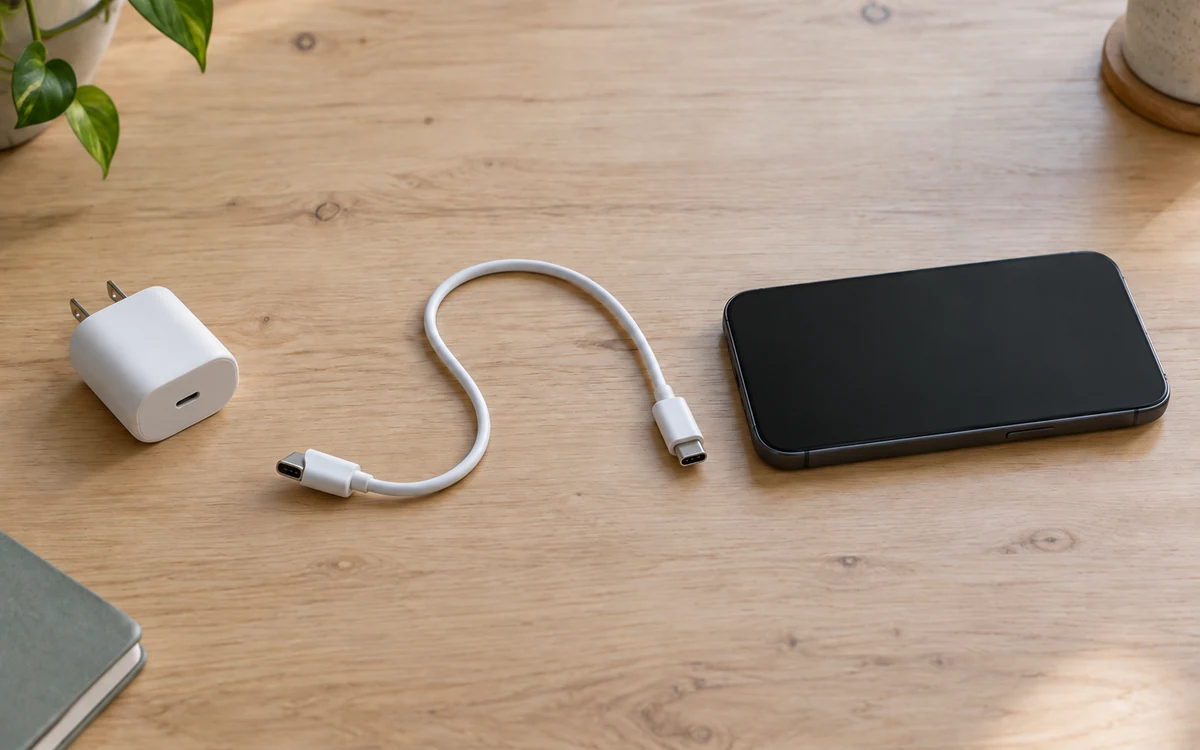
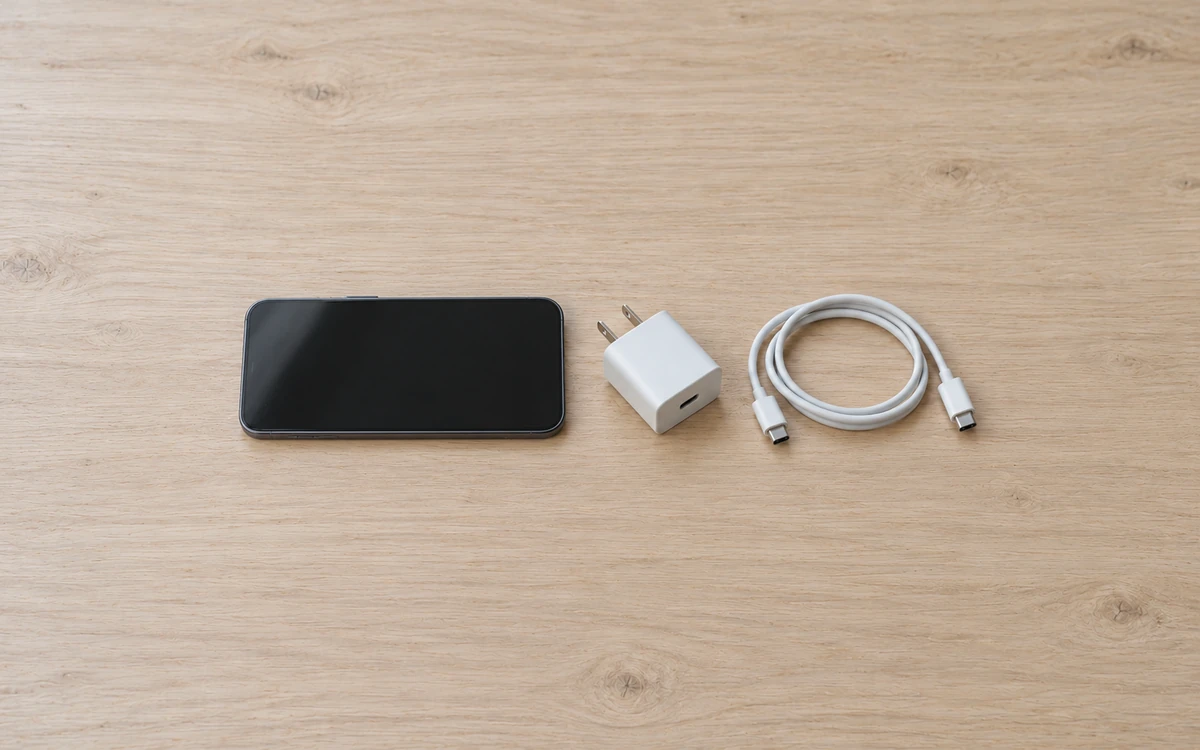
Example of the three items to match: phone, adapter port and cable. The pictured equipment does not identify a Samsung accessory model.
For the Galaxy S21 and S22 models checked here, choose a charger with documented USB PD PPS support for the phone’s target mode. Samsung’s current guidance says high maximum output without PPS may not provide Super Fast Charging; it was checked October 10, 2026. Keep the selected port and cable in the decision, especially for the older 45W setups. This guide gives you a model table, official output-label examples, shared-port limits and a purchase record. For another Android brand, begin with its own supported mode and accessory instructions.
The PPS requirement comes from Samsung’s charging-support guide, updated September 23, 2026. The comparisons below use public manufacturer documents, rather than our own charging tests.
Scroll horizontally to see all columns.
| Input or item | Typical value or source | Why it matters |
|---|---|---|
| Exact phone | Full model name in Settings and its official specification | S22 and S22 Ultra have different wired ratings |
| Target mode | Model-specific Super Fast Charging or other named mode | Ordinary charging does not establish the target mode |
| Adapter identity | Exact model and regional product documentation | Similar names can conceal different output tables |
| Selected port | Its USB PD PDO and PPS output entries | Total adapter watts can describe another port or mode |
| Cable condition | Manufacturer instructions for that phone and adapter | The checked older 45W setup needs a documented 5A cable |
| Simultaneous devices | Maker’s occupied-port allocation table | A second connection can change available PPS output |
Start with the phone you have today. Record its full name, including Plus, Ultra or FE, before browsing accessory listings. A USB-C socket establishes where a connector fits; the product documents establish what that connection can do. If your task involves a different power source, the Charging & Power hub points to the corresponding guide.
Takeaway: Compare complete charging combinations after identifying the phone’s intended mode.
Check whether your Galaxy is a 25W or 45W model
The three Galaxy S21 models below and the base Galaxy S22 have 25W wired ratings; S22+ and S22 Ultra have 45W ratings. Match the complete model name before selecting an adapter. These manufacturer figures identify the target setup and do not describe power maintained throughout a charging session.
Samsung’s US S21 series datasheet identifies the S21 interfaces and charging ratings. Its S21/S21+ launch specifications and S21 Ultra specifications list PD 3.0 PPS. The S22 series overview separates the three S22 power ratings; Samsung’s S22 charging instructions provide connection guidance. These sources were checked October 10, 2026.
Scroll horizontally to see all columns.
| Checked Galaxy model | Phone connection / wired rating | Selection condition to record |
|---|---|---|
| S21 5G | USB-C / 25W | PD PPS combination for Super Fast Charging; USB-C-to-USB-C connection |
| S21+ 5G | USB-C / 25W | Same target; keep the exact phone and accessory documentation |
| S21 Ultra 5G | USB-C / 25W | Ultra in the name does not make this a 45W model |
| S22 | USB-C / 25W | PD PPS combination supporting this phone’s Super Fast Charging |
| S22+ | USB-C / 45W | Compatible Super Fast Charging 2.0 setup; documented 5A C-to-C cable |
| S22 Ultra | USB-C / 45W | Same older 45W setup condition; verify port and cable together |
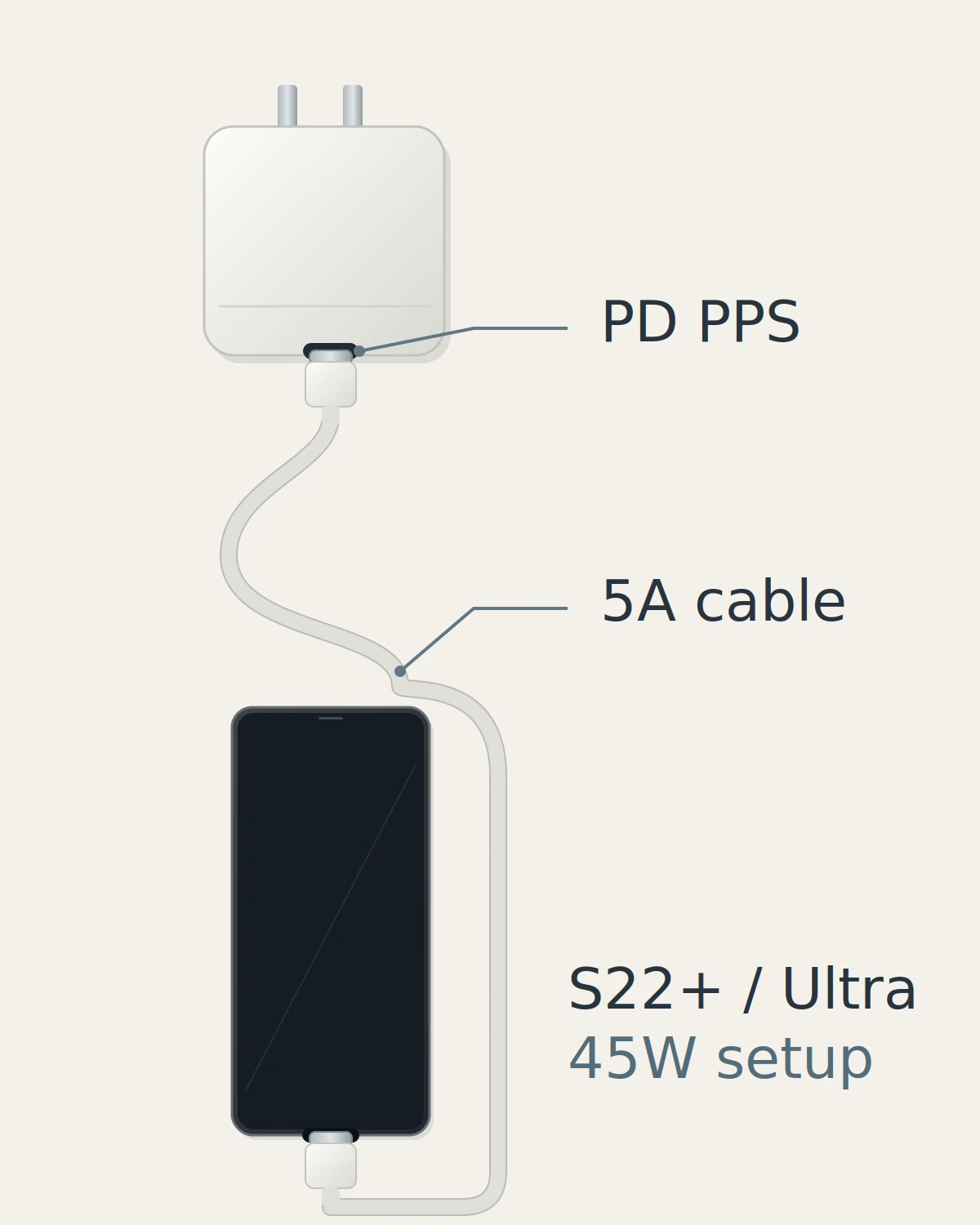
For an S21 Ultra, buying extra adapter capacity may serve another device, but it does not change the phone’s documented rating. For an S22 Ultra, choosing the 45W target adds checks beyond finding a listing with “45W” in its title. Use the model row as the start of your purchase record, then carry its conditions into the adapter and cable checks.
Common mistake: Treating every S22-series phone, or every Galaxy with “Ultra” in its name, as a 45W model.
The PPS compatibility guide explains the protocol separately. Here, the useful action is to find an explicit PPS output entry and a compatibility statement for the exact phone you intend to charge.
Takeaway: Select the phone’s documented target before deciding how much adapter capacity to buy.
Read the selected port’s PDO and PPS lines
Read fixed PDO outputs and adjustable PPS outputs as separate entries. A fixed voltage/current pair does not establish a PPS mode, and a PPS range belongs with its stated current limit. Obtain the full output table for the exact adapter and port, then compare it with the phone’s documented charging condition.
On a specification sheet, a fixed entry might look like “9V / 2.77A.” A PPS entry instead contains a voltage range, such as “3.3–11V / 2.25A.” The USB Power Delivery explainer supplies the background terminology; for this purchase, keep both sets of entries in your record.
These official examples show the difference. They describe accessory outputs, with sources checked October 10, 2026:
Scroll horizontally to see all columns.
| Official reference | Fixed PDO example | Published PPS voltage/current pairs | Documented accessory context |
|---|---|---|---|
| EP-T2510, including Samsung Levant EP-T2510NWEGWW | 9V / 2.77A | 3.3–5.9V / 3A; 3.3–11V / 2.25A | 25W Super Fast Charging example; also listed in Samsung’s current support table |
| Samsung Africa EP-T4510XBEGWW | 9V or 15V / 3A; 20V / 2.25A | 3.3–11V / 4.05A; 3.3–16V / 2.8A; 3.3–21V / 2.1A | Up to 45W SFC 2.0; cited regional bundle includes a 5A C-to-C cable |
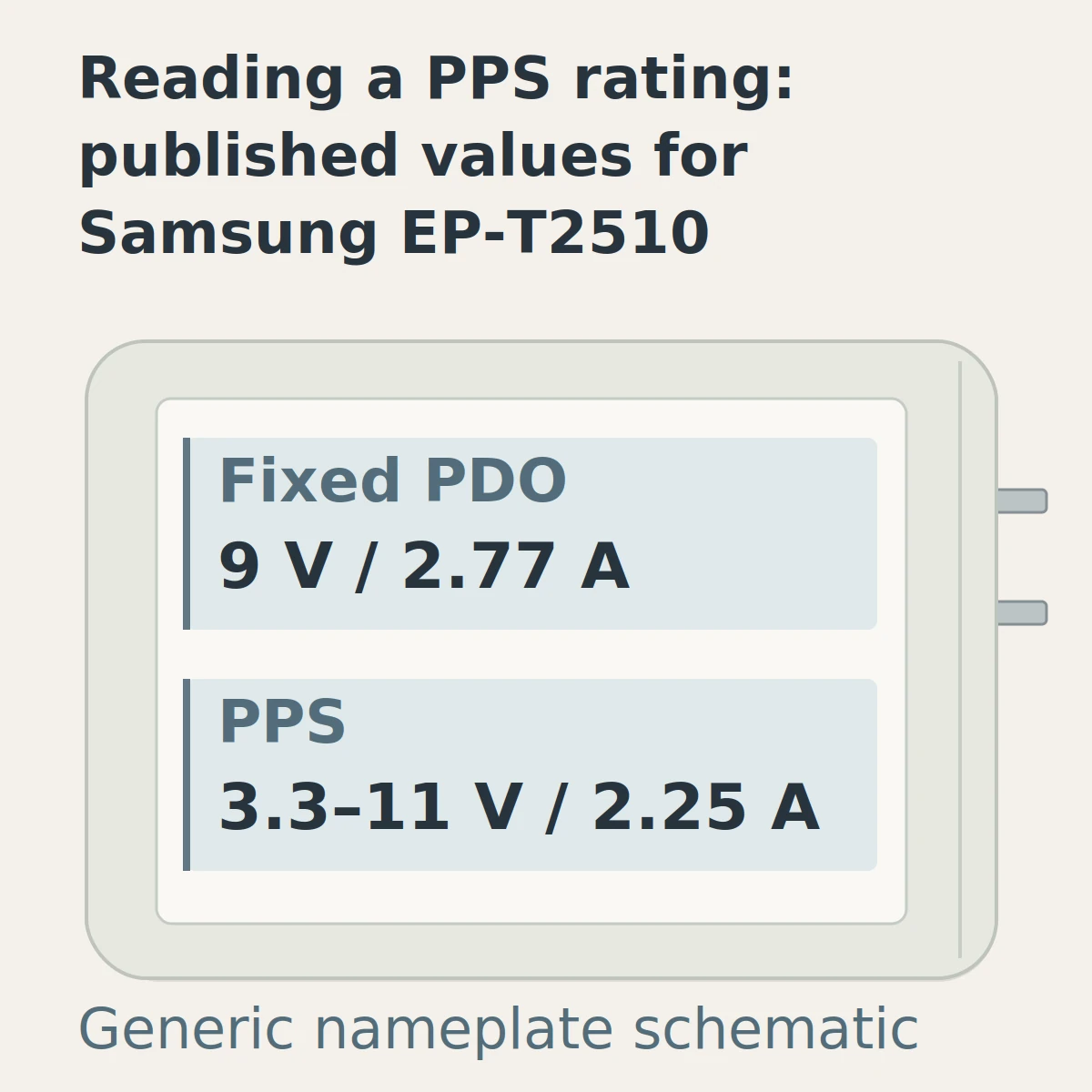
The table supplies concrete references, not a universal acceptance formula for every third-party accessory. A different adapter needs its own output documentation and model-specific compatibility evidence. Keep its regional suffix and selected bundle: EP-T4510 and EP-T4511 are different accessory models, so do not merge their PPS entries.
Common mistake: Taking 3A from the EP-T2510’s lower-voltage PPS range and attaching it to the separate 3.3–11V range. The published current for that second range is 2.25A.
For a third-party listing, open the manufacturer’s product page or manual and find the selected port’s output table. Then look for a statement that the intended Galaxy’s Super Fast Charging mode is supported with the stated cable. If the maker supplies only total wattage and “PD compatible,” the missing question is specific: what PPS output and phone-mode support does this port provide?
Takeaway: Preserve each voltage/current pair and check the exact port’s compatibility evidence.
Check what a 65W charger supplies when ports are shared
A 65W adapter rating does not mean the checked Galaxy receives 65W. On Samsung’s cited Trio, USB-C1 provides up to 65W through fixed PDO output but up to 45W through PPS when used alone. Connecting another port changes that configuration, so inspect the protocol-specific allocation before relying on a shared charger.
The example is Samsung Singapore’s EP-T6530NBEGGB 65W Trio specification, checked October 10, 2026. Its single USB-C2 output is up to 25W; USB-A supports up to 15W AFC/QC. These are this accessory’s specified outputs, not phone-input measurements.
Scroll horizontally to see all columns.
| Occupied Trio ports | C1 fixed PDO maximum | C1 PPS maximum | Other occupied-port outputs |
|---|---|---|---|
| C1 only | 65W | 45W | None |
| C1 + C2 | 40W | 25W | C2: up to 25W PDO/PPS |
| C1 + USB-A | 50W | 25W | USB-A: up to 15W AFC/QC |
| C1 + C2 + USB-A | 35W | 25W | C2: up to 25W PDO/PPS; USB-A: 5W |
Samsung’s current charging-support table identifies SFC 2.0 for this adapter on Port 1 and excludes it when two or more ports are connected. The fixed-PDO and PPS columns explain why a large remaining wattage number is insufficient evidence.
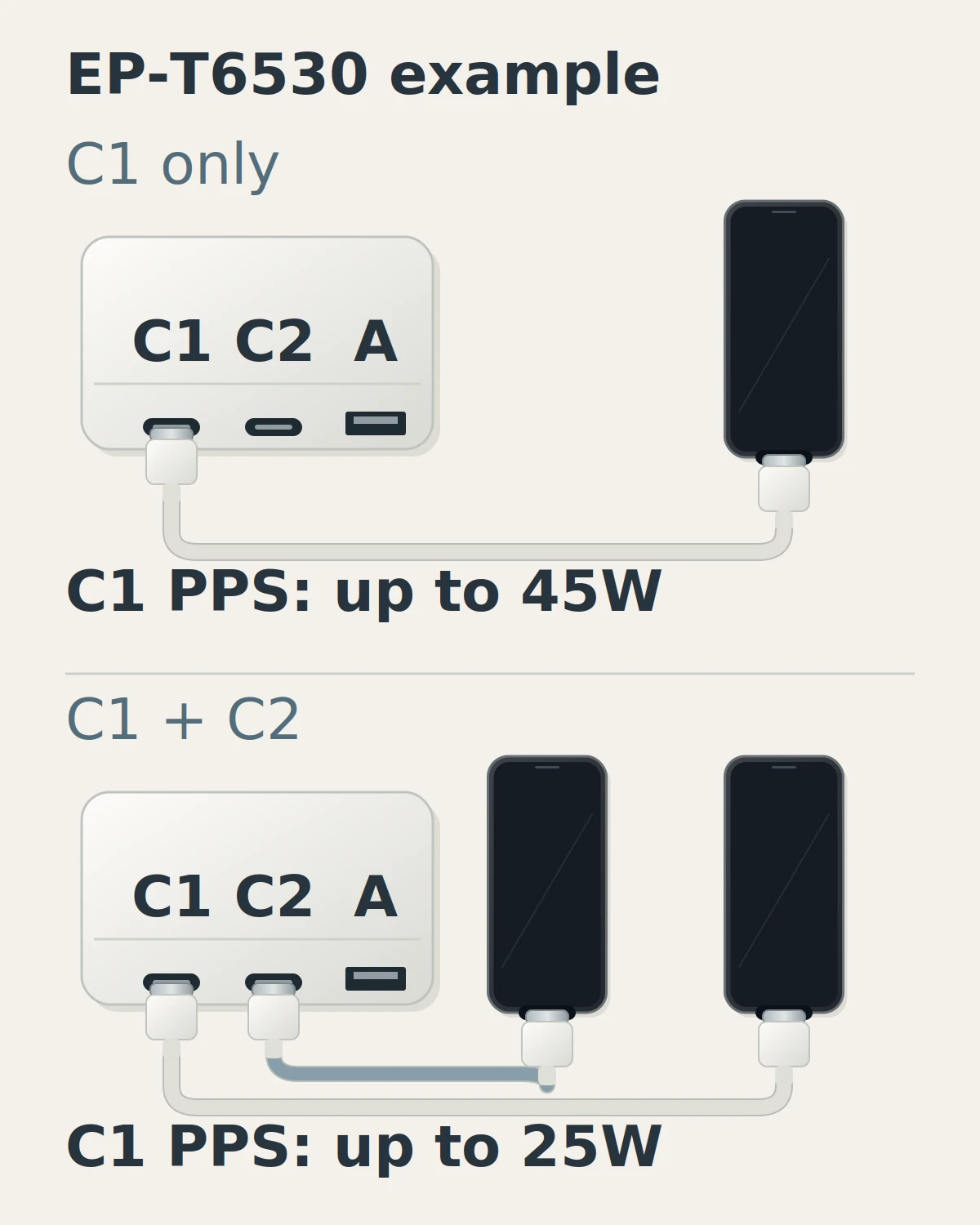
Common mistake: Reading the Trio’s shared C1 fixed-PDO limit of 40W or 50W as proof that the older Galaxy 45W PPS setup remains available.
If you charge a laptop and phone together, write that arrangement down before choosing the adapter. The GaN charger selection guide helps organize the broader device budget. An adapter with different documented sharing behavior may suit that task; consult its own matrix rather than transferring the Trio’s limits to every multiport product.
Apply the same selected-port check to a USB-C power bank. Its capacity describes stored energy, while its output table describes the connection available to the phone. Keep those separate when moving the same cable between a wall adapter and a battery pack.
Takeaway: Check PPS capacity in the exact occupied-port configuration you will use.
Match the cable to the older Galaxy 45W setup
For the S22+ or S22 Ultra 45W setup discussed here, select a documented 5A E-marked USB-C-to-USB-C cable with a compatible adapter. Samsung’s older 45W instructions make the cable part of the combination. For the checked 25W phones, follow their accessory conditions without assuming they inherit that same 5A requirement.
The 5A condition is stated in Samsung UK’s Super Fast Charging instructions and supported by the 5A cable in the cited EP-T4510 bundle. The UK page was updated May 17, 2023; both documents were checked October 10, 2026.
Find the cable’s current capability in its maker documentation or the exact bundle description. A connector that fits is only the physical check. If you already own a cable but cannot establish its rating, keep the cable condition unresolved in your record rather than declaring the adapter incompatible from that combination alone.
Also separate “adapter only” from “adapter with cable.” The regional EP-T4510 example includes a 5A cable; that says nothing about the contents of another listing. Record the selected retailer option and manufacturer’s bundle identifier before ordering, particularly when several options share the same product title.
For power labels, data capability and connector fit, use the USB-C cable buying guide. Those details deserve their own check when the cable also connects a computer. This article keeps the cable condition attached to the phone’s charging target.
Takeaway: Confirm the cable supplied or reused with the older 45W Galaxy combination.
Check other Android brands by their own charging modes
Choose other Android chargers from the phone maker’s instructions, because the same USB-C connector can support different charging modes. Standard PD capability and a brand’s proprietary fast-charge mode need separate checks. Use the examples below to identify the documentation you need, then verify the exact handset rather than assigning one Android-wide wattage.
Google’s Pixel charging guide, checked October 10, 2026, lists PPS adapters rated for 30W or more and other PD adapters rated for 15W or more. These are adapter-selection conditions. They do not mean every Pixel takes 30W, or that both adapter categories produce the same speed on every model. Check the exact Pixel specification if its fastest mode is your goal.
Quick Charge needs a version check. In its February 22, 2018 Quick Charge 4+ explanation, Qualcomm describes USB PD as the primary signaling method and discusses charging PD devices without Quick Charge. That establishes a relationship for QC4+; a generic “QC” label on an unspecified charger does not establish PPS or the older Galaxy 45W mode.
OnePlus supplies a different example. Its UK SUPERVOOC 100W dual-port adapter page, checked October 10, 2026, lists proprietary SUPERVOOC, PD and PPS capabilities separately. Its fast-charge condition includes a phone and cable supporting SUPERVOOC. When switching brands, compare the documented standard-protocol output separately from the proprietary mode advertised most prominently.
A household sharing with an iPhone should keep a second phone-specific record. The iPhone charger-and-cable guide covers its connector and official adapter conditions. A shared adapter can be considered after those individual requirements and its occupied-port outputs are documented.
Takeaway: Match each Android brand’s named mode and standard-protocol compatibility separately.
Save a six-step charger purchase record
Make one record for the complete combination before ordering or reusing equipment. It should identify the phone, target mode, exact adapter port, published outputs, cable and simultaneous-device arrangement. A specific record lets you compare similar listings and find the missing information without reducing the decision to a brand name or headline wattage.
- Identify the phone. Copy the full model and confirm its connector in the official documentation.
- Set the target mode. Use the checked model row or your manufacturer’s instructions; distinguish basic charging from the named faster mode.
- Identify the adapter and port. Save the exact accessory model, region and chosen USB-C port label.
- Record the output and sharing evidence. Keep the PDO/PPS table and the matrix for the ports you will occupy.
- Document the cable. Save both connector types, required current capability and the selected bundle’s contents.
- Resolve missing conditions before purchase. Find the manufacturer’s compatibility statement for that combination or choose one whose documentation answers the question.
Scroll horizontally to see all columns.
| Field | What to save | Example format |
|---|---|---|
| Phone / connection | Full model and official connector specification | Galaxy S22 Ultra / USB-C |
| Target mode | Named mode and model-specific rating | SFC 2.0 / 45W target from Samsung’s S22 documentation |
| Adapter / port | Exact model, regional suffix and selected port | Accessory model from listing / USB-C1 |
| Output evidence | Full fixed PDO and PPS entries for that port | Maker page or manual, with voltage/current pairs |
| Simultaneous devices | Occupied ports and corresponding allocation | Phone alone, or phone C1 + another device C2 |
| Cable / bundle | C-to-C, documented current condition and included items | 5A E-marked for this older 45W setup; exact bundle identifier |
| Compatibility source | Manufacturer statement matching phone and accessories | Saved URL, document date and date checked |
For example, an S22 Ultra owner considering the cited Trio should first decide whether another device will stay connected. C1 alone offers the adapter’s documented 45W PPS path; C1+C2 changes C1 to 25W PPS. The record then includes the older phone’s 5A cable condition. This identifies a purchase tradeoff without predicting a charging-time difference.
If you cannot complete a row, treat that as a concrete question for the accessory maker. “Does this model support S22 Ultra SFC 2.0 on C1 with C2 occupied, and with which cable?” is more useful than “Is this fast?” Retain the answer with the product information so a later cable replacement or shared-device change can be checked against it.
Takeaway: Order a documented combination that matches how you will actually connect the devices.
Check the delivered setup without inferring wattage
Match the delivered adapter and cable to your purchase record, then use the documented port and charging settings. Observe whether charging starts and remains connected. A phone’s charging message is useful context, but it does not measure watts; battery level, temperature and use can change power during an otherwise compatible charging session.
Samsung’s current support instructions, checked October 10, 2026, direct users to Battery and Charging settings and warn that menus vary by model and software. Use your phone’s current instructions if that path differs. The guide also explains that the device does not charge at maximum power at all times.
Begin with the connection recorded for your target mode. Note the adapter model, selected port, cable and any other occupied ports when reporting an unexpected result. Those details allow a support reply to address the setup rather than a broad claim that a charger “works” or “doesn’t work.”
If the phone shows no charging response, repeatedly disconnects or fails to remain connected, use the USB-C charger troubleshooting guide for the separate investigation. Preserve the purchase record so the fault checks have a known starting configuration.
Takeaway: Verify the items and connection conditions, then report observable behavior rather than inferred power.
When this does not apply
This guide applies to selecting an undamaged wired charging combination with identifiable product documentation. It does not diagnose wet or damaged connectors, guarantee a charge time or cover every Galaxy generation. Use the relevant manufacturer instructions for abnormal conditions and check an unlisted model’s own accessory requirements before applying an older model’s rules.
Newer Galaxy conditions can differ. Samsung’s September 23, 2026 support table lists supplied-3A-cable SFC 2.0 support for S25 and later in specified adapter combinations. That exception is why this article scopes its 5A advice to the checked older S22+/Ultra 45W setup rather than all Galaxy phones.
Wireless charging has a different compatibility chain. Use the Qi2 and MagSafe guide for that decision. This checklist also cannot authenticate a delivered unit, establish a certification claim or quantify battery-life effects. Keep those questions separate from matching documented wired outputs.
Takeaway: Use the method within its wired, documented scope and recheck conditions for unlisted phones.
FAQ
These short answers address adjacent connector, replacement and bundle questions behind Android charger searches. Begin with the exact phone whenever a question says only “Android” or “Samsung.” The mode and cable conditions in the sections above remain part of the decision, even when the physical connector is the same across several phones.
What charger connector does the Galaxy S21 use?
The checked S21 5G, S21+ 5G and S21 Ultra 5G use USB-C. From a USB-C adapter, use the appropriate USB-C-to-USB-C connection and check the charging-mode conditions. The official S21 datasheet linked above confirms the interfaces; this answer does not cover S21 FE.
Is the Galaxy S22 charger Type-C too?
Yes, the checked S22, S22+ and S22 Ultra use a USB-C connection. That tells you which plug fits, while the model table tells you which charging target to check. A spare cable’s physical fit does not settle its suitability for the older 45W setup.
Do all Android phones use USB-C?
Android itself does not guarantee a USB-C connector. Check the exact handset’s specification or inspect its port. The S21/S22 models in this guide use USB-C; that checked list is not evidence for every Android handset or older device someone may own.
What is the best USB-C charger for an Android phone I may replace?
Choose around the documented needs of your current phone and any other devices you charge. PD/PPS support can be a useful capability to check, but an unknown future handset’s fastest mode remains unknown. Recheck the replacement phone’s own mode and cable conditions when you select it.
What is the difference between superfast charge and superfast charge 2.0?
Super Fast Charging is Samsung’s up-to-25W mode; Super Fast Charging 2.0 is its up-to-45W mode, as specified for the EP-T2510 and EP-T4510 respectively (checked October 10, 2026). Among the phones covered here, S22+/Ultra support the 45W setup with a 5A E-marked cable; the S21 trio and base S22 are rated at 25W. These are supported limits, not constant charging power.
Are there two different Type-C chargers?
Yes, chargers with the same USB-C connector can have different PDO and PPS outputs. Samsung’s EP-T2510 and EP-T4510 are two examples: their official output tables above specify different fixed outputs and adjustable ranges. “Type-C” identifies the connector, so keep the exact adapter model when checking compatibility.
Can the S22, S22+ and S22 Ultra share one charger and cable?
Yes, the USB-C plugs fit all three, and one documented compatible charger-and-cable combination can be reused between them. For the S22+/Ultra 45W target, Samsung adds the 5A E-marked cable condition described above; physical fit alone does not confirm that mode. Check each phone’s target and the selected adapter port before reuse.
Why won’t my USB-C charger charge my phone at all?
No charging response needs a fault check, rather than another assumption about wattage. Follow the troubleshooting guide linked above and the phone maker’s instructions. This article helps establish the intended combination; it does not identify the failed item or prescribe repairs from that symptom alone.
Takeaway: Use short answers to clarify the purchase inputs, then retain the model-specific conditions.
Related reading
Choose the next guide by the information still missing from your purchase record. Use the PPS guide for a mode question, the cable guide for power or data capability, and the GaN guide for a shared device budget. Each covers a separate decision that can change the final charging combination you select.
- PPS charging compatibility — understand the capability named in the adapter output table.
- USB-C cable selection — check cable power, data and physical connection needs.
- GaN charger selection — organize several devices and the adapter’s output allocation.
Takeaway: Open the guide that resolves the specific missing condition in your record.
Sources
This guide organizes public manufacturer specifications into a wired-charger selection record, with official sources checked October 10, 2026. Model ratings, adapter outputs and observed phone behavior are kept separate. The examples retain their named models and regional documents; they do not rank products or reproduce charging tests performed by Tech Gadgets Now.
- Samsung: current Galaxy charging support — PD PPS requirement, adapter-mode conditions, settings and changing power during charging; updated September 23, 2026.
- Samsung US: Galaxy S21 series datasheet — 2021 model-specific ports and 25W ratings; paired with the S21 launch specifications linked above.
- Samsung: S22 series overview and S22 charging instructions — 2022 model ratings and connection conditions.
- Samsung UK: Super Fast Charging — older 45W cable guidance, updated May 17, 2023.
- Samsung Levant: EP-T2510, Samsung Africa: EP-T4510 and Samsung Singapore: EP-T6530 Trio — exact accessory output examples and the Trio allocation matrix, checked October 10, 2026.
- Google: Charge your Pixel phone — adapter guidance, checked October 10, 2026.
- Qualcomm: Quick Charge 4+ — version-specific USB PD relationship, published February 22, 2018.
- OnePlus UK: SUPERVOOC dual-port adapter — separate protocol capabilities and phone/cable condition, checked October 10, 2026.
Last updated: October 10, 2026.
Takeaway: Keep the official source and its scope beside each requirement you use to select equipment.
Related articles
Which USB-C Charger and Cable Does Your iPhone Need?
The wrong cable can leave your iPhone uncharged. Match the phone port, cable ends and model-specific USB PD requirements before choosing an adapter.
Read article
USB-C Power Delivery Explained: What a Charger Can Actually Do
USB-C Power Delivery is a charging protocol, not a promise that every USB-C charger, cable, and device will work at full speed.
Read article
What Is PPS Charging? A Practical USB PD Guide
Equal wattage can still hide a PPS current mismatch. Match the phone mode, charger PPS voltage/current range and cable current rating.
Read article